keplertech

Blogs

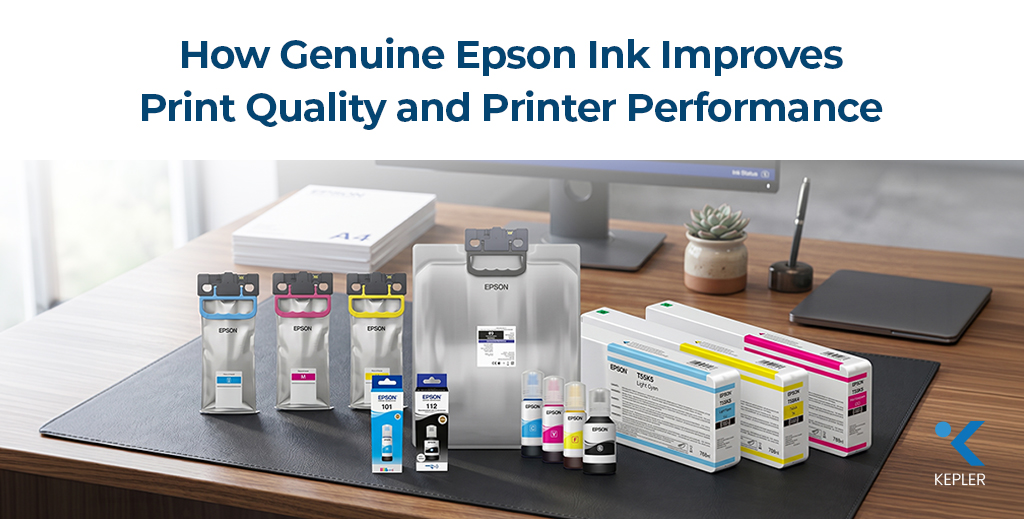
How Genuine Epson Ink Improves Print Quality and Printer Performance
Inkjet printer ink

How Genuine Epson Ink Improves Print Quality and Printer Performance

Why Print Quality Matters Today In today’s highly competitive business environment, print quality plays a major role in how a brand is perceived. Whether it is marketing brochures, business presentations, product labels, architectural drawings, or professional photographs, high-quality printing directly impacts professionalism and customer trust. Businesses across industries rely heavily on consistent and accurate printing for daily operations. Corporate offices need sharp documents, design agencies require color precision, retail businesses depend on attractive promotional materials, and photography studios demand lifelike image reproduction. This growing demand for professional printing has significantly increased the adoption of Epson printers in offices, creative studios, educational institutions, and commercial printing environments. However, one common issue many businesses face is poor print output caused by low-quality or non-genuine ink. Even the most advanced printer cannot deliver professional results when the wrong consumables are used. Faded colors, blurred text, streaking, and inconsistent image quality are often linked to incompatible or low-grade ink products. This is why choosing genuine Epson ink cartridges is critical for maintaining print quality and long-term printer performance. From sharper text to vibrant graphics and improved printer reliability, genuine Epson ink is specifically engineered to work seamlessly with Epson printing technology. For businesses, photographers, and professionals who rely on consistent output, using the right photo printer ink is not just a consumable choice; it is an investment in quality, efficiency, and long-term productivity. What Is Genuine Epson Ink? Genuine Epson ink is specially designed and manufactured to work exclusively with Epson printing systems. Unlike generic or third-party alternatives, Epson develops its ink formulations alongside its printers to ensure optimized performance, color accuracy, and printhead reliability. Many compatible inks may appear similar externally, but the chemical composition inside can differ significantly. Epson engineers its ink with precise viscosity, particle size, and drying characteristics to match the printer’s internal mechanisms. This compatibility helps maintain consistent ink flow and accurate droplet placement during printing. There are also different types of ink technologies used in professional printing: Epson carefully calibrates its inks for: This level of engineering helps businesses achieve predictable and professional results across different printing applications. Another important factor is consistency. Genuine Epson ink cartridges maintain stable output quality across large print volumes, making them highly suitable for commercial environments where consistency matters. Working with trusted printer consumables suppliers also helps businesses avoid counterfeit products that may damage printers or reduce output quality over time. How Genuine Epson Ink Improves Print Quality 1. Better Color Accuracy One of the biggest advantages of genuine Epson ink is superior color accuracy. Professional printing often requires exact color reproduction for branding, marketing materials, photography, and product packaging. Using original photo printer ink helps produce: For creative industries, even small color variations can affect brand consistency and visual presentation. Epson ink is engineered to maintain accurate color balance across multiple print jobs, ensuring reliable results every time. 2. Sharper Text and Images Print sharpness is another critical factor in professional printing. Genuine Epson ink produces cleaner text edges and more detailed image output compared to many low-quality alternatives. Benefits include: Businesses using Epson printers for contracts, presentations, and reports benefit from highly readable text and professional-looking documents. 3. Consistent Output Across Multiple Prints Consistency is extremely important for businesses producing large print volumes. Marketing agencies, print shops, and retail companies often need identical output quality across hundreds or thousands of prints. Genuine Epson ink helps maintain: This is especially important when printing customer-facing materials, where inconsistent quality can negatively affect brand perception. 4. Improved Photo Printing Performance Professional photographers and designers rely heavily on accurate image reproduction. Genuine Epson ink improves: High-quality photo printers combined with original Epson consumables deliver rich and long-lasting prints suitable for exhibitions, portfolios, and commercial photography applications. The difference becomes particularly noticeable in high-resolution image printing, where fine details and smooth transitions are essential. How Genuine Epson Ink Protects Printer Performance 1. Prevents Printhead Damage One of the most common problems caused by non-genuine ink is printhead clogging. Poor-quality ink often contains inconsistent particle sizes or unstable chemical formulations that can block nozzles and disrupt ink flow. Genuine Epson ink cartridges are engineered to maintain proper ink circulation and reduce the risk of clogging. This helps: 2. Improves Printer Lifespan Printers are long-term business investments, and using original consumables helps protect internal components from premature wear. Non-genuine inks may: Using Epson-approved ink helps extend the operational lifespan of Epson printers while maintaining stable performance over time. 3. Reduces Operational Downtime Unexpected printer failures can disrupt productivity and increase operational costs. Genuine Epson ink helps reduce downtime by ensuring smoother printer operation and fewer technical issues. Businesses benefit from: Reliable printer performance is especially important in high-volume business environments where downtime can delay operations. 4. Optimized Printer Operation Epson printers are specifically calibrated to work with genuine Epson consumables. Firmware, printhead technology, and ink delivery systems are designed to function together for maximum efficiency. This integration helps improve: The Impact of Ink on Photo Printing Quality Photo printing demands extremely high levels of precision and color accuracy. Professional photographers rely on genuine photo printer ink because it helps preserve image detail, tonal balance, and print longevity. Key advantages include: Genuine Epson ink also offers better fade resistance, helping photographs maintain quality over long periods. For photographers, artists, and creative professionals using photo printers, archival-quality printing is essential. Long-lasting image stability is especially important for: Using high-quality consumables ensures that printed images accurately reflect the creator’s original vision. Why Epson Printing Paper Also Matters Ink quality alone does not determine final print output. The type of paper used also plays a critical role in color reproduction, sharpness, and durability. Different paper surfaces absorb ink differently. Poor-quality paper may lead to: Using genuine Epson printing paper helps improve: Common paper options include: Professional printing environments often combine high-quality paper with genuine photo printer ink to achieve maximum print performance. Common Problems Caused by Non-Genuine Ink Many businesses choose low-cost alternatives to reduce consumable expenses, but poor-quality ink

How Genuine Epson Ink Improves Print Quality and Printer Performance Read Post »

How Printer Rentals Support Temporary Projects and Events
Printer Rental

How Printer Rentals Support Temporary Projects and Events

Not Every Project Needs a Permanent Printer Running a three-day exhibition, a month-long training workshop, or a temporary construction office comes with countless operational requirements. Printing is one of them. From contracts and visitor passes to technical drawings and training handouts, businesses often need reliable printing support even for short-term operations. However, purchasing expensive printing hardware for a temporary requirement rarely makes financial or operational sense. This growing challenge has increased the demand for flexible printer rental services across multiple industries. Businesses today are moving toward scalable and cost-effective printing models that support temporary operations without the burden of ownership. Whether it’s a conference, corporate event, educational program, pop-up office, or engineering project, organizations now prefer agile printing infrastructure that can be deployed quickly and removed once the project ends. Many businesses avoid buying printers for temporary use because ownership creates additional challenges, such as maintenance, storage, repairs, consumables, and long-term depreciation. A temporary office printer setup offers a smarter alternative by providing professional printing capabilities exactly when required. Modern business printing solutions are no longer limited to simply renting a printer. Today’s rental providers offer fully managed setups that include installation, technical support, maintenance, consumables, and device replacement. This allows businesses to focus on project execution rather than infrastructure management. In a business environment where flexibility and efficiency matter more than ever, printer rental solutions help organizations reduce costs, improve productivity, and maintain uninterrupted workflows during temporary projects and events. What Is Printer Rental for Temporary Projects? A short-term printer rental is a service where businesses rent printers for temporary operational requirements instead of purchasing equipment outright. These rental solutions are commonly used for exhibitions, conferences, temporary offices, training centers, audits, construction projects, and seasonal workloads. Unlike traditional ownership, printer rental services provide businesses with flexible contracts based on project duration. Companies can rent a printer for: This flexibility makes rental-based printing ideal for organizations that need scalable infrastructure without long-term commitments. Modern temporary printing setups are designed as complete on-demand solutions. Rental providers typically deliver the equipment, install it, configure the network settings, install printer drivers, and ensure the system is ready to operate immediately. Some providers even offer user training to help teams utilize the equipment efficiently. Another major advantage is the inclusion of support and maintenance. Most rental agreements include: Many businesses also combine rentals with managed print services to ensure uninterrupted operations during high-pressure projects and events. It is important to understand the difference between leasing and renting. Printer leasing usually involves longer contracts and partial ownership responsibilities, while rental services focus on short-term flexibility. In simple terms, businesses are paying for printing capability and productivity rather than investing heavily in hardware ownership. This model provides greater flexibility, lower financial risk, and better resource allocation for temporary business operations. Types of Temporary Projects That Need Printer Rentals 1. Corporate Events Corporate events are among the most common users of event printing solutions. Conferences, exhibitions, seminars, trade shows, and networking events require continuous document printing throughout the event duration. Event organizers often need: A reliable temporary office printer setup ensures that last-minute printing requirements can be handled without disrupting the event. For example, technology exhibitions and trade shows frequently require instant document printing for attendees and exhibitors. 2. Construction & Engineering Projects Construction firms and engineering companies frequently establish temporary site offices for projects that may last several months. These offices require printing infrastructure for: A plotter printer becomes essential for producing A1 and A0 technical drawings. Instead of purchasing expensive equipment for a temporary site office, businesses often prefer renting large-format printers for the duration of the project. This approach reduces operational costs while ensuring accurate and reliable document production on-site. 3. Training Programs Training centers and corporate workshops regularly require short-term printing support. Employee onboarding programs, certification workshops, and professional development sessions often involve high-volume printing for: For temporary training environments, rental-based business printing solutions provide the flexibility to scale printing capacity according to the number of attendees. Organizations can deploy printers quickly without disturbing existing office workflows or investing in permanent hardware. 4. Seasonal Business Operations Many industries experience seasonal spikes in printing demand. Audit firms, educational institutions, admissions offices, and campaign teams often require additional printing infrastructure for a limited period. During these peak seasons, businesses may need: Printer rentals help businesses manage temporary workloads efficiently without overinvesting in infrastructure that may remain unused after the peak period ends. 5. Temporary Offices & Educational Events Project branches, remote workspaces, temporary offices, and educational events also benefit greatly from rental-based printing infrastructure. Educational institutions conducting examinations or workshops often require a multifunction printer rental setup capable of printing, scanning, and copying documents efficiently. A professional multifunction printer solution helps organizations maintain smooth operations even in temporary locations. Benefits of Printer Rentals for Temporary Needs 1. Cost Savings One of the biggest advantages of printer rental services is the significant reduction in upfront investment costs. Purchasing office printers for a short-term project can be financially inefficient, especially when the equipment may only be used for a few days or weeks. Printer rentals eliminate: Instead of spending heavily on equipment ownership, businesses only pay for the duration and capacity they require. This makes rental-based business printing solutions highly cost-effective for temporary operations. 2. Flexibility Flexibility is another major advantage of rental-based printing. Businesses can easily upgrade or replace equipment based on changing project requirements. For example: Short-term contracts allow businesses to scale their printing infrastructure dynamically without long-term commitments. This level of flexibility is particularly valuable for projects with unpredictable printing volumes. 3. Convenience Modern printer rental providers manage the entire deployment process. Equipment is delivered, installed, configured, and tested before operations begin. Many providers also offer: This convenience reduces pressure on internal IT teams and ensures projects can operate smoothly from day one. 4. Reduced Downtime Technical issues during an event or temporary project can seriously disrupt operations. Rental providers help minimize downtime through: In mission-critical environments such as conferences or examination centers,

How Printer Rentals Support Temporary Projects and Events Read Post »

How to Choose the Right Inkjet Printing Paper for Different Applications
plotter

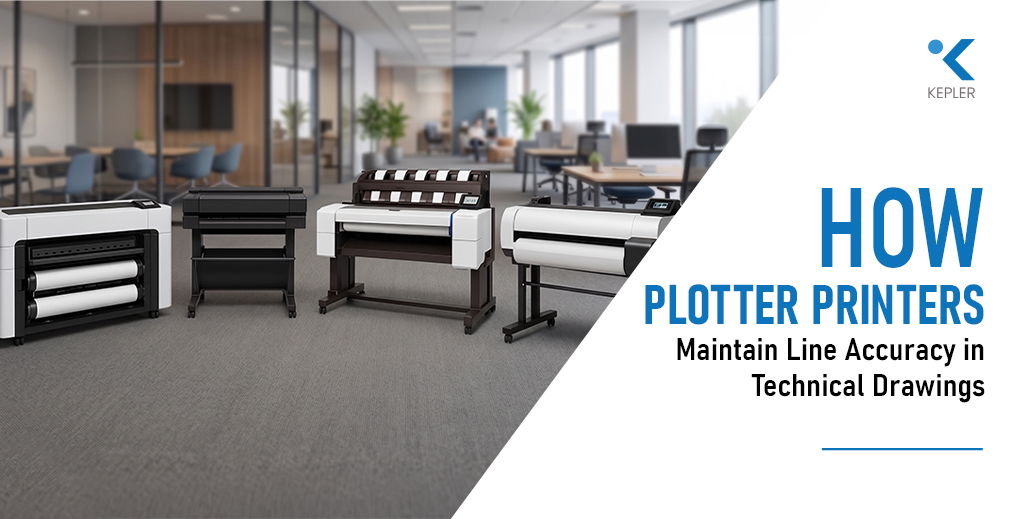
How Plotter Printers Maintain Line Accuracy in Technical Drawings

Why Line Accuracy Can Make or Break a Project Have you ever printed a technical drawing where lines didn’t align perfectly? At first glance, it may seem like a minor issue. But in real-world applications especially in architecture, engineering, and construction even a 1 mm deviation can lead to costly mistakes. Misaligned dimensions in a floor plan or inaccurate scaling in a structural drawing can affect execution, materials, and overall project outcomes. This is why line accuracy is critical in CAD, GIS, and engineering prints. Unlike standard office printers, a plotter printer is specifically designed to handle precision at a much higher level. It doesn’t just print images it ensures that every line, dimension, and scale is reproduced exactly as intended. So how do plotter printers achieve this level of accuracy? The answer lies in a combination of hardware precision, software processing, media handling, and calibration systems. Each of these components plays a vital role in ensuring consistent and reliable output. This guide is designed for: Let’s explore how modern plotters maintain such high levels of line accuracy—and why it matters more than you might think. What Line Accuracy Means in Technical Printing Line accuracy in technical printing refers to dimensional precision and scaling correctness, not just how clean or sharp a line looks. Many people confuse visual quality with technical accuracy. A print might appear crisp and well-defined, but if the dimensions are even slightly off, it fails its purpose in professional workflows. In industries like engineering and construction, drawings follow strict tolerance levels. These tolerances define how much deviation is acceptable—and in many cases, the margin is extremely small. Even a 1 mm error in a large-format drawing can translate into significant miscalculations on-site. For example: This is where a plotter printer differs from a standard printer. It prioritizes precision over appearance, ensuring that every line is placed exactly where it should be. The key takeaway is simple: Accuracy is not about how a print looks it’s about whether it can be trusted for real-world execution. How Plotter Printers Are Engineered for Precision The ability of a plotter printer to maintain line accuracy starts with its internal engineering. Unlike conventional printers, plotters are built with precision-focused components that control movement, ink placement, and media handling. At the core of this system are precision printheads. These printheads are capable of placing extremely small ink droplets with high accuracy. The control over droplet size and placement ensures that lines remain sharp and consistent, even in highly detailed drawings. Another critical component is the use of high-resolution stepper motors. These motors control the movement of the printhead across the axes. Because of their precision, they ensure that each movement is calculated and repeatable, which is essential for maintaining consistent line placement. The belt and carriage system also plays a major role. It ensures smooth movement of the printhead while minimizing vibrations and mechanical backlash. Any inconsistency in movement could lead to misaligned lines, which is why stability is crucial. Equally important is the paper feed mechanism. A plotter printer advances the paper with extreme precision, ensuring that each pass aligns perfectly with the previous one. This is especially important in large-format prints where even small shifts can accumulate into noticeable errors. For example, models like the Epson SureColor SC-T3100 are designed with advanced motion control systems that support consistent line accuracy in technical workflows. The overall takeaway is that mechanical engineering inside plotters ensures repeatable and reliable precision, making them suitable for demanding applications. The Role of File Type and Vector Data While hardware plays a major role, file type is equally important in maintaining line accuracy. Technical drawings are typically created using vector-based formats. Unlike raster images, which are made up of pixels, vector files use mathematical equations to define lines and shapes. This allows them to scale infinitely without losing quality. This is crucial for large-format printing. When a vector file is printed using a plotter printer, the device interprets the data and reproduces lines with exact precision, regardless of size. Common formats used in technical workflows include: Plotters are optimized to handle these formats efficiently, ensuring that line weights, dimensions, and scaling remain intact. Scaling is another key factor. Inaccurate scaling during printing can distort measurements, even if the file itself is correct. This is why maintaining a 1:1 scale (or specified ratio) is critical in technical printing. Modern systems, including advanced models like the Epson SureColor SC-T5100M Plotter Printer, are designed to process vector data efficiently, ensuring that accuracy is preserved from screen to print. The insight here is clear: Plotter printers rely heavily on vector precision to maintain line accuracy in technical drawings. Media Handling and Its Impact on Accuracy Even with perfect hardware and file preparation, line accuracy can be affected by something as simple as paper handling. In large-format printing, media stability plays a critical role. A plotter printer must ensure that the paper moves consistently and remains aligned throughout the printing process. One important factor is the difference between roll media and sheet media. Roll media is commonly used for large prints, but it requires proper alignment and tension. If the roll is not loaded correctly, it can lead to skewing and misalignment. Media tension is another critical aspect. The printer must maintain consistent tension as the paper moves through the system. Any variation can result in uneven feeding, which directly affects line placement. Environmental factors also come into play. In humid conditions, paper can expand or contract slightly. While this change may seem negligible, it can impact precision in technical drawings. This is why professionals often use high-quality media and controlled environments when working with plotters. The key takeaway is simple: Even the most advanced plotter printer cannot maintain accuracy if the media is unstable or poorly handled. Calibration and Alignment Systems Maintaining line accuracy is not just about initial setup—it requires continuous calibration.Modern plotters include automatic calibration systems that ensure consistent performance over time. These systems adjust for minor variations

How Plotter Printers Maintain Line Accuracy in Technical Drawings Read Post »

How to Choose the Right Inkjet Printing Paper for Different Applications
Printing paper

How to Choose the Right Inkjet Printing Paper for Different Applications

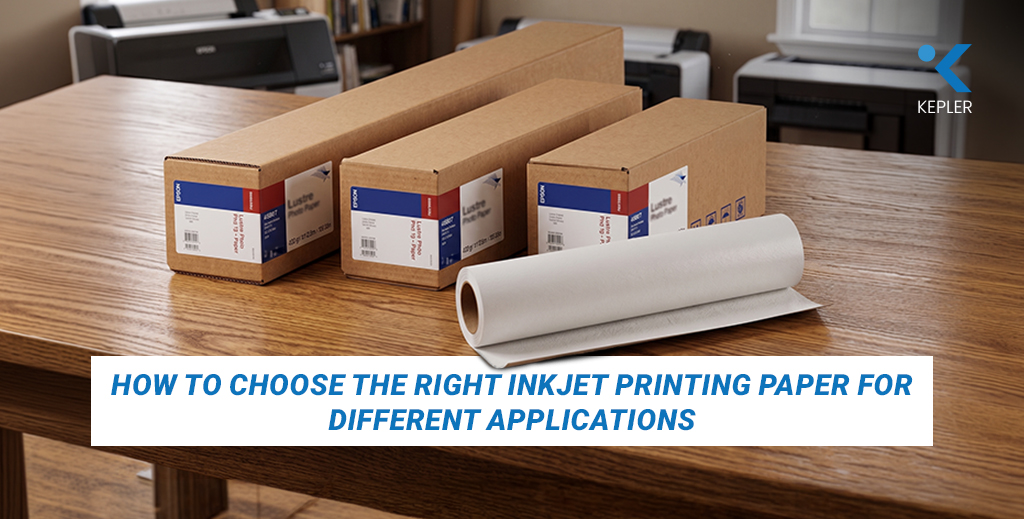
Before we dive into finishes, coatings, and technical specifications, let’s start with a quick thought: Have you ever printed something that looked perfect on screen—but turned out dull or lifeless on paper? If yes, you’re not alone. Many professionals from photographers and designers to architects and students—face this exact issue. Despite using high-end printers and premium inks, the final output often falls short. Colors appear muted, prints may show bronzing under light, and in some cases, the paper itself fails to last over time. Here’s the truth: paper choice is the hidden factor behind professional-quality prints. Using the wrong inkjet printing paper doesn’t just affect quality—it leads to: On the other hand, choosing the right paper for the right application can dramatically improve output while saving both time and money. This is especially important when sourcing from trusted printing paper suppliers, as consistency in paper quality directly impacts your results. Whether you’re running a print shop, working on client projects, or simply printing for personal use, this guide will help you understand how to match the right inkjet printing paper to your needs. Now, let’s break it down step by step. Inkjet Printing Paper Basics You Must Know Before selecting the right paper, it’s important to understand what makes inkjet printing paper fundamentally different from standard copy paper. Unlike regular office paper, inkjet printing paper is engineered with specialized coatings that control ink absorption. This ensures that ink stays on the surface rather than spreading uncontrollably, resulting in sharper images, better color accuracy, and faster drying times. Copy paper, on the other hand, is designed for text printing. It absorbs ink unevenly, which often leads to faded colors and blurred edges. This is why even the best printers cannot deliver optimal results without the right paper. To make an informed choice, you need to understand a few key specifications. Key specifications at a glance: First comes GSM (grams per square meter), which indicates the thickness and weight of the paper. Lighter papers around 70–100 GSM are suitable for everyday use, while heavier papers above 200 GSM are ideal for professional prints such as photos and presentations. The higher the GSM, the more premium and durable the output feels. Next is coating. Inkjet papers typically come with microporous or swellable coatings. Microporous coatings allow faster drying and sharper detail, making them ideal for high-volume printing. Swellable coatings, while slower to dry, offer better resistance to environmental factors and improved longevity. Cast-coated papers, often used in glossy finishes, provide high shine and vibrant output. Many premium options in the market, such as epson inkjet paper, are designed with advanced coating technologies to ensure consistent ink absorption and high-quality output across different applications. Brightness and optical brightening agents also play a role. Brighter papers enhance color vibrancy, but excessive OBAs may reduce archival quality over time. This is particularly important for prints meant to last for years. Finally, surface finish defines the visual appearance of your print. Glossy surfaces enhance color depth, luster finishes reduce glare, matte surfaces provide a soft professional look, and textured papers add an artistic touch. Sourcing from reliable printer consumables suppliers ensures consistency in these specifications. Poor-quality or counterfeit paper can lead to batch variations, color inconsistencies, and even printer damage. Paper Types by Surface and Best Applications Now that you understand the basics, let’s explore different paper types and where they work best. Glossy photo paper is one of the most widely used types of inkjet printing paper. It produces vibrant colors and deep contrasts, making it ideal for: However, its reflective surface can cause glare under strong lighting, which may not suit all applications. Luster or satin paper offers a balance between glossy and matte finishes. It provides rich color output while reducing reflections and fingerprints. This makes it a preferred choice for professional photographers, especially for: When it comes to versatility, matte paper stands out. It has a non-reflective surface, making it ideal for: Unlike glossy paper, it can be written on, which adds to its usability in professional settings. Fine art papers take quality a step further. These papers are typically made from cotton rag or alpha cellulose and are designed for archival purposes. They offer exceptional longevity and are often used for: Premium ranges like Innova Papers are widely recognized for their consistency and archival standards. Canvas media introduces a completely different aesthetic. With its textured fabric-like surface, canvas is ideal for: For everyday professional printing, options like korejet inkjet paper are often used due to their balance between quality, consistency, and cost-effectiveness across various applications. Each type of inkjet printing paper serves a specific purpose, and understanding these differences allows you to select the right one based on your output goals. Choosing Paper by Application: Complete Guide Choosing the right inkjet printing paper becomes much easier when you focus on the application rather than just the specifications. For photography, the choice depends on the type of work. Wedding and portrait photography often benefits from luster or satin finishes due to their professional look and resistance to fingerprints. Landscape photography, on the other hand, can benefit from glossy paper for its vibrant color reproduction. Fine art photography leans toward matte or cotton rag papers for a more natural and timeless appearance. Depending on the application, many professionals choose specific brands like epson inkjet paper for consistent output in standard workflows, especially in environments where reliability is critical. For graphic design and proofs, accuracy is more important than aesthetics. Designers often use specialized proofing papers that align with color standards such as FOGRA or GRACoL. Fine art reproduction requires papers that can last for decades without fading. Cotton rag papers with low or no OBA content are ideal for this purpose. For CAD drawings and posters, cost and efficiency play a bigger role. Matte presentation papers and bond papers are commonly used because they provide sufficient clarity without increasing printing costs. Exhibitions and gallery displays introduce another factor—lighting. Glossy prints may look stunning

How to Choose the Right Inkjet Printing Paper for Different Applications Read Post »

Why Businesses Should Buy from Authorized Printer Suppliers Instead of Resellers
Printer suppliers

Why Businesses Should Buy from Authorized Printer Suppliers Instead of Resellers

Are You Buying the Right Printer from the Right Source? Imagine this: your business invests in a new printer expecting smooth operations, printing invoices, marketing materials, or technical drawings. But within a few months, you start facing issues with poor print quality, frequent breakdowns, or worse, no support when something goes wrong. Sounds familiar? For many businesses, the problem isn’t the printer itself; it’s where they bought it from. Choosing between authorized printer suppliers and resellers can make a significant difference in performance, cost, and long-term reliability. Whether you’re investing in office printers, photo printers, or technical printers like plotters, the source plays a crucial role in your overall experience. Many businesses rely on trusted brands like Epson and Citizen, but even the best brands can underperform if not sourced correctly. The reality is simple: Buying from authorized printer suppliers ensures authenticity, expert support, and long-term value, something resellers often fail to deliver. Let’s explore why this choice matters more than most businesses realize. Authorized Suppliers vs Resellers: What’s the Real Difference? Before diving into the benefits, it’s important to understand the fundamental difference between authorized suppliers and resellers because, on the surface, they may seem similar. Authorized printer suppliers operate with direct approval from manufacturers such as Epson and Citizen. This relationship is not just about selling products; it involves meeting strict standards set by the brand. These suppliers are trained, certified, and continuously updated on the latest technologies, models, and service practices. When you buy from them, you are essentially buying through an extension of the brand itself. Resellers, however, function differently. They typically source products through distributors, third parties, or even secondary markets. While some may offer genuine products, there is often a lack of consistency in quality, authenticity, and support. Key Differences at a Glance: This distinction becomes especially important when printers are not just tools but essential business assets. Hidden Risks of Buying from Resellers At first glance, buying from a reseller can feel like a smart financial decision. Lower prices and quick availability often attract businesses trying to manage budgets. However, what appears to be a cost-saving move can gradually turn into a series of unexpected challenges. Some of the most common risks include: These issues directly affect performance, reliability, and long-term usability. The impact becomes even more visible when we look at different printer types: What initially seems like a cheaper option often turns into a more expensive and stressful experience in the long run. Key Benefits of Buying from Authorized Printer Suppliers When businesses choose to work with authorized printer suppliers, they are not just purchasing a product; they are investing in reliability, expertise, and long-term efficiency. One of the biggest advantages is the assurance of genuine products. Authorized suppliers provide direct access to original printers from the leading brands, ensuring that businesses get the latest models with updated technology. What Businesses Gain from Authorized Suppliers: Another key advantage lies in expert consultation. Instead of guessing which printer to choose, businesses receive proper guidance based on their needs. Whether it’s selecting efficient office printers, high-quality photo printers, or precision-driven plotters, this support helps avoid costly mistakes. Access to genuine consumables is equally important. From printer inks to specialized papers, using original supplies ensures consistent output quality and helps extend the life of the equipment. Perhaps the most valuable benefit is after-sales support. Authorized suppliers provide ongoing assistance through services like installation, regular maintenance, troubleshooting, and even managed print service, ensuring that businesses can operate smoothly without worrying about technical disruptions or unexpected downtime. Choosing the Right Printer for Your Business Needs Selecting the right printer is just as important as choosing the right supplier. Different businesses have different requirements, and understanding these needs can make a significant difference in efficiency and output quality. To simplify this, businesses should consider the following: Office printers are typically the backbone of everyday operations. They are designed for speed, efficiency, and consistent performance. Businesses that rely heavily on documentation need machines that can handle continuous usage without interruptions. Photo printers, on the other hand, focus on quality. They are widely used in marketing and creative industries where visual output matters. Even minor inconsistencies in ink or paper can impact the final result. Technical printers, or plotters, are essential for industries like architecture and engineering. These printers require precision and reliability, as even small errors can lead to costly project delays. Authorized suppliers help businesses match the right printer to their exact needs, ensuring better performance and long-term satisfaction. Long-Term Value vs Short-Term Savings When it comes to purchasing printers, many businesses focus heavily on the initial cost. While this is understandable, it often leads to decisions that overlook long-term value. Resellers may offer lower upfront prices, but they often come with hidden costs such as repairs, replacements, and downtime. Over time, these expenses can outweigh the initial savings. Authorized suppliers, on the other hand, provide better long-term value through: Smart businesses invest in reliability, not just the lowest price. Cost Comparison Table Factor Resellers Authorized Suppliers Initial Cost Usually lower Slightly higher Product Quality May vary depending on source Consistently genuine and reliable Warranty Limited or seller-based Official manufacturer warranty Maintenance Cost Can be higher over time Lower with proper support Lifespan May vary Generally longer and more stable Why UAE Businesses Prefer Authorized Suppliers In a fast-paced and competitive market like the UAE, businesses cannot afford delays or inefficiencies. Printing systems are often integrated into daily operations, and any disruption can impact productivity and customer satisfaction. This is why many organizations prefer working with reliable printer suppliers in Dubai who can deliver consistent quality and support. Key Reasons Behind This Preference: Choosing the right supplier has become a strategic decision rather than just a purchasing choice. FAQs 1. What is an authorized printer supplier?An authorized printer supplier is a certified partner of printer manufacturers who sells genuine products with official warranty and support. 2. Are reseller printers reliable?Reseller printers can vary in quality. Some

Why Businesses Should Buy from Authorized Printer Suppliers Instead of Resellers Read Post »

What Type of Printer Does Your Business Really Need? A Practical Guide
Printers

What Type of Printer Does Your Business Really Need? A Practical Guide

Choosing a printer for your business might seem like a simple task at first. With so many options available, different models, features, and price ranges, it’s easy to assume that any standard device will get the job done. But in reality, the type of printer you choose can directly impact your daily operations, productivity, and even long-term costs. But here’s the real question: Are you using the right printer for your business needs? Many businesses assume that all printers are more or less the same. They choose based on price, brand, or quick recommendations, only to realize later that the device doesn’t meet their expectations. Slow performance, high maintenance costs, or missing features can quickly turn a simple purchase into a long-term problem. The reality is, choosing the right printer isn’t just about buying a device; it’s about aligning technology with your business workflow. Whether you’re running a small office, a creative studio, or a technical firm, your printing requirements can be very different. Choosing the wrong printer doesn’t just affect performance—it increases costs and reduces efficiency. So, how do you choose the Best office printer for your business? Let’s break it down step by step. Understanding Your Business Printing Needs Before exploring different printer types, it’s important to take a step back and understand what your business actually needs. Many businesses make the mistake of choosing a printer first and adjusting their workflow later, which often leads to inefficiencies. Instead, the smarter approach is to evaluate your requirements clearly. Ask yourself: A small business with moderate usage may have completely different requirements compared to a company handling large volumes of printing daily. Similarly, a business focused on design or photography will prioritize output quality, while an engineering firm will focus on precision and scale. Understanding these factors helps you move from guesswork to a more informed decision. It also ensures that you invest in a printer that supports your operations rather than slowing them down. Types of Printers for Business Once you have clarity on your needs, the next step is understanding the different types of printers available. Each category is designed for specific use cases, and choosing the right one depends on how your business operates. Office Printers Office printers are the backbone of most workplaces. They are designed to handle everyday tasks such as printing documents, reports, invoices, and internal communications. These printers focus on: For businesses with regular printing needs, selecting the best office printer is crucial to maintaining productivity. Modern office printers are built to handle continuous usage, making them ideal for small to medium-sized businesses. Photo Printers Photo printers are specialized devices designed for high-quality image output. They are widely used in industries where visual presentation matters, such as marketing, advertising, and photography. These printers prioritize: Businesses that rely on visuals, such as branding agencies or studios, benefit greatly from investing in photo printers. Even portable photo printers are becoming popular for quick and convenient printing. Technical / CAD Printers Technical printers, often used for CAD drawings and large-format printing, serve industries like architecture, engineering, and construction. These printers are built for precision and scale. They are ideal for: Choosing the right CAD drawing printer or commercial printer ensures that even the smallest details are reproduced accurately, which is critical in technical fields. Multi-Function Printers One of the most practical solutions for modern businesses is the printer scanner copier, also known as a multi-function printer. Instead of using separate machines for printing, scanning, and copying, businesses can rely on a single device that performs all these functions efficiently. Key advantages include: For most businesses, a multifunction printer offers the perfect balance between functionality and efficiency. This makes it a preferred choice, especially for offices looking to streamline operations without investing in multiple devices. Single-Function vs Multi-Function: What Should You Choose? A common dilemma businesses face is whether to invest in a single-function printer or a multi-function device. Single-function printers are designed for specific tasks. They are often used in environments where performance in one area, such as high-speed printing or specialized output, is critical. For example, a dedicated photo printer or a large-format plotter serves a very focused purpose. On the other hand, multi-function printers are built to handle multiple tasks within a single device. They combine printing, scanning, and copying, making them highly versatile. The choice depends on your business requirements. If your work involves specialized printing needs, a dedicated printer may be necessary. However, for most businesses, managing multiple devices can increase complexity and cost. Many organizations today prefer multi-function printers because they simplify operations and reduce the need for additional equipment. This is why multifunction printers have become a popular choice for businesses looking to improve efficiency without compromising functionality. Cost Considerations: What Businesses Often Ignore When purchasing a printer, many businesses focus only on the initial price. While this is an important factor, it does not provide a complete picture. The real cost of a printer includes several ongoing expenses: A printer with a low upfront cost may end up being expensive in the long run due to high ink usage or frequent repairs. Similarly, ignoring maintenance can lead to unexpected downtime and additional expenses. The cheapest printer is not always the most cost-effective. Businesses should evaluate the total cost of ownership rather than just the purchase price. This approach helps in making smarter investment decisions and avoiding unnecessary expenses over time. How to Choose the Best Printer for Your Business Now that you understand the different types of printers and their cost implications, the next step is making the right choice. A practical approach is to match your business needs with the right features and capabilities. Here’s a simple way to decide: Businesses looking to buy office printers should also think about reliability and support. A printer is not just a one-time purchase; it is an ongoing part of your operations. Taking the time to evaluate your options carefully can help you choose a solution that delivers both

What Type of Printer Does Your Business Really Need? A Practical Guide Read Post »

Buying a Printer With or Without AMC: Which Is Better for Your Business?
Managed print service

Buying a Printer With or Without AMC: Which Is Better for Your Business?

In modern offices across Dubai and the UAE, printers remain one of the most essential workplace tools. From invoices and contracts to reports and operational documents, office printers quietly support the daily workflow of nearly every organization. While digital transformation continues to reshape business operations, printing remains critical for documentation, compliance, and client communication. However, when companies plan to invest in a new printer, they often face an important question: Should they simply buy a printer, or choose a printer purchase with a printer annual maintenance contract? At first glance, purchasing a printer alone may appear to be the easiest and cheapest option. But many businesses quickly discover that the true cost of printing goes far beyond the initial purchase price. Maintenance issues, technical failures, spare parts replacement, and downtime can quickly disrupt productivity and increase operational costs. This is why many organizations today are turning to managed print service solutions, where printers are purchased along with a printer annual maintenance contract that ensures regular servicing, technical support, and operational reliability. So which option truly delivers better value for businesses? Before we explore the answer, let’s first understand the key differences between a printer purchase and a printer purchase with AMC, and why this decision matters for businesses operating in Dubai and across the UAE. Understanding Printer Purchase vs Printer Purchase with AMC Choosing between purchasing a printer alone and purchasing one with an annual maintenance contract can significantly affect the long-term performance and cost efficiency of your printing infrastructure. Let’s break down both approaches. Printer Purchase Without AMC When a company purchases a printer without any maintenance agreement, the organization owns the equipment but is fully responsible for its upkeep. This means businesses must manage: At first, this may not seem like a problem. But over time, unexpected breakdowns or recurring technical issues can increase operational expenses and disrupt business operations. For businesses that rely heavily on printing, even a short period of downtime can delay workflows, interrupt document processing, and affect customer service. Printer Purchase with AMC On the other hand, purchasing a printer with a printer annual maintenance contract offers a proactive approach to printer management. With an AMC plan, businesses receive: This type of managed print service ensures that printers remain operational, efficient, and well-maintained throughout their lifecycle. Why This Matters in the UAE Business Environment Dubai and the wider UAE host one of the most competitive business ecosystems in the world. Companies operate in fast-paced industries where operational efficiency and productivity are critical. Businesses cannot afford unnecessary downtime caused by equipment failures. As a result, many organizations prefer printer management solutions that provide reliability and predictable operational costs. That’s why printer purchase with AMC has become an increasingly popular model among companies seeking long-term efficiency and operational stability. Now let’s explore the specific benefits that make AMC such a valuable solution. Benefits of Printer Purchase with AMC Choosing an annual maintenance contract for your printer, alongside your purchase, offers several advantages that go far beyond basic maintenance. Let’s look at the key benefits businesses experience. Cost Savings and Predictable Expenses One of the biggest benefits of an AMC plan is financial predictability. Without an AMC, printer repair costs can vary widely depending on the issue. A malfunctioning printhead, network connectivity problem, or mechanical failure can lead to unexpected service charges. With an AMC, these costs are typically bundled into a fixed service agreement. This allows businesses to: Over time, this predictable expense structure often proves more cost-effective than paying for multiple emergency repairs. Expert Technical Support Another major advantage of AMC services is access to experienced technicians who specialize in printer maintenance and troubleshooting. When technical issues occur, businesses with AMC support receive priority service from trained professionals. Instead of waiting for external technicians or attempting to solve problems internally, companies benefit from: This level of technical expertise ensures that printers return to operation quickly, minimizing disruptions. Reliability and Reduced Downtime Printer downtime can interrupt business workflows and delay critical processes. Imagine a finance team unable to print invoices, or a legal department unable to produce important documentation. Even minor printing disruptions can affect business productivity. With a managed print service, printers receive routine inspections and preventive maintenance. Technicians monitor system performance and detect potential issues before they cause major breakdowns. This proactive approach results in: As a result, businesses experience smoother operations and better productivity. Extended Printer Lifespan Office printers are significant investments, and organizations want them to last as long as possible. Without regular servicing, printers can deteriorate faster due to: A printer’s annual maintenance contract ensures that equipment is maintained using proper procedures and genuine components. Regular servicing helps extend the lifespan of office printers, delaying the need for expensive replacements and maximizing the return on investment. Peace of Mind for Business Owners and IT Teams Running a business already involves countless responsibilities. Managing printer maintenance should not add unnecessary stress to business owners or IT departments. AMC agreements provide peace of mind by ensuring that printer management is handled by professionals. This means: Ultimately, AMC transforms printer management from a reactive challenge into a reliable and predictable system. Why UAE Businesses Prefer Printer Purchase with AMC In the UAE’s competitive business landscape, organizations constantly seek solutions that increase efficiency while reducing operational risks. Printer purchase with AMC aligns perfectly with this goal. Many industries in Dubai depend heavily on reliable printing systems. These include: For these sectors, uninterrupted printing operations are essential for maintaining productivity and service quality. A printer’s annual maintenance contract helps businesses ensure consistent printer performance while minimizing downtime and operational disruptions. Additionally, companies operating in the UAE prefer managed print service solutions because they simplify device management and improve overall efficiency. Instead of worrying about printer maintenance, businesses can focus on their core operations while experts handle the technical aspects of printing infrastructure. This shift toward managed services reflects the growing demand for smarter and more reliable business solutions across the region. Key Considerations for Businesses

Buying a Printer With or Without AMC: Which Is Better for Your Business? Read Post »

ERPNext
ERP

From Data Risks to Smart Security: How ERPNext Protects Business Data

In today’s digital-first economy, business data has become one of the most valuable assets for organizations. From financial records and customer information to operational reports and supply chain data, companies rely heavily on digital systems to manage and protect their critical information. However, as businesses expand their digital operations, the risk of cyber threats, data breaches, and unauthorized access continues to grow. Across the UAE’s fast-evolving business landscape, organizations are increasingly aware that data security is no longer optional; it is a strategic necessity. Governments are strengthening data protection regulations, while businesses are investing in advanced technologies to safeguard sensitive information and maintain operational continuity. This is where ERPNext emerges as a powerful and reliable solution. As a modern business software platform, ERPNext integrates multiple business functions into a single system while offering robust security mechanisms that help organizations protect their most valuable digital assets. But how exactly does ERPNext transform data risks into smart security strategies for businesses? Let’s explore the challenges companies face today and discover how ERPNext provides a secure, scalable, and intelligent approach to data protection. Understanding Data Risks in the Modern Business Landscape Before exploring the security advantages of ERPNext, it is important to understand the data risks businesses commonly face today. Growing Cybersecurity Threats Digital transformation has brought enormous opportunities, but it has also increased the exposure of businesses to cyber risks. Companies frequently face threats such as: For organizations managing large volumes of data, even a single vulnerability can lead to serious consequences. Impact of Data Breaches on Businesses A data breach can affect a company in several ways: Financial Losses Organizations may suffer financial damages due to system downtime, recovery costs, legal penalties, or operational disruptions. Reputation Damage Customer trust is difficult to build but easy to lose. Data leaks or security incidents can significantly harm a company’s credibility. Operational Disruption When systems become compromised, businesses may struggle to maintain daily operations, affecting productivity and decision-making. Regulatory and Compliance Requirements As digital ecosystems grow, governments are implementing stricter data protection and cybersecurity regulations to ensure responsible data management. Businesses must maintain: Failing to meet these requirements can result in regulatory penalties and operational risks. This is why companies are increasingly adopting advanced business solutions that combine operational management with strong security frameworks. And this is exactly where ERPNext stands out. ERPNext Security Features That Protect Business Data ERPNext is designed not only as a powerful business software platform but also as a secure environment that protects sensitive data across departments. Let’s explore the key security features that make ERPNext a reliable system for modern organizations. Role-Based Access Control One of the most important aspects of data security is controlling who can access specific information within an organization. ERPNext uses Role-Based Access Control (RBAC) to ensure that employees only access the data relevant to their responsibilities. For example: This structured access control ensures that sensitive data remains protected while employees continue working efficiently. By limiting access permissions, businesses significantly reduce the risk of unauthorized data exposure or misuse. Advanced Data Encryption Encryption is a fundamental component of modern data protection. ERPNext protects business data using secure encryption protocols, ensuring that sensitive information remains protected during storage and data transfer. Encryption safeguards critical data such as: Even if unauthorized access occurs, encrypted data remains unreadable without the correct credentials. This makes ERPNext a strong defense against cyber threats targeting business systems. Comprehensive Audit Trails Transparency and accountability are essential for maintaining secure systems. ERPNext provides detailed audit trails, allowing organizations to track every transaction and system activity. Audit logs record: These logs allow businesses to monitor activities in real time and quickly identify unusual behavior. If a security issue occurs, audit trails make it easier to trace the source and respond quickly. Two-Factor Authentication ERPNext supports Two-Factor Authentication (2FA) to add a layer of protection for user accounts. With 2FA enabled, users must verify their identity using a secondary authentication method, such as: This extra security step greatly reduces the chances of unauthorized system access. Data Backup and Recovery Systems Data loss can occur due to cyberattacks, hardware failures, or human error. ERPNext includes reliable data backup and recovery mechanisms that ensure business continuity. Regular backups allow organizations to: A strong backup strategy is a critical component of smart security planning. Secure Cloud and On-Premise Deployment ERPNext offers flexible deployment options that enhance data security. Businesses can choose: This flexibility allows companies to implement security strategies that align with their operational requirements and risk management policies. Custom Security Configurations Every business operates differently, and ERPNext understands that security requirements vary across industries. The platform allows organizations to customize: This ensures that companies can implement security measures tailored to their operational needs. Benefits of ERPNext for Businesses Beyond its security capabilities, ERPNext offers several advantages that help organizations strengthen their operational resilience. Improved Compliance Management Businesses must comply with various regulatory frameworks and data protection guidelines. ERPNext helps organizations maintain compliance by providing: This makes it easier for companies to meet regulatory expectations and maintain responsible data practices. Enhanced Data Security With built-in encryption, role-based access controls, and system monitoring tools, ERPNext creates a secure digital environment. Businesses can confidently manage sensitive information such as: Strong data protection enhances both internal security and external trust. Centralized Data Management ERPNext integrates multiple departments within a single system. This centralized architecture reduces the risks associated with: With all business data stored in a unified system, organizations gain better visibility and improved control over information. Increased Operational Efficiency ERPNext automates business processes across departments, including: Automation reduces manual errors while improving productivity and data accuracy. This allows businesses to focus on growth while maintaining secure and reliable systems. Scalable Business Growth As companies expand, their data and operational requirements grow as well. ERPNext is designed to scale with businesses by supporting: This ensures that security and operational performance remain strong even as organizations grow. Implementing ERPNext for Data Security Adopting ERPNext successfully requires a well-planned implementation strategy.

From Data Risks to Smart Security: How ERPNext Protects Business Data Read Post »

Why Epson Photo Printers Are the First Choice for Professional Photographers
Photo printer

Why Epson Photo Printers Are the First Choice for Professional Photographers

Professional photography has transformed from a niche creative field into a thriving global industry. Weddings are grander, commercial campaigns are more visually demanding, and fine art photography is gaining unprecedented recognition. Clients no longer want “good” prints; they expect gallery-quality pieces that preserve every detail, every shade, and every emotion. But let’s pause and reflect on something important. You may invest heavily in cameras and lenses, carefully edit your images, and perfect every color tone on screen. Yet, what ultimately reaches your client’s hands is not a digital file; it is a print. And that final output depends entirely on your Photo Printer. Before choosing a printer, every professional should ask: This is where Epson has established itself as an undisputed leader. Across studios, galleries, and commercial production houses, Epson professional photo printers are trusted for their precision, longevity, and color brilliance. Epson photo printers combine advanced ink technology, engineering reliability, and scalable performance, making them the preferred choice for professionals seeking the Best Printer for Photographers. What Professional Photographers Truly Expect from a Photo Printer Professional photographers do not choose equipment casually. Every investment must justify itself in performance and business value. First and foremost, color accuracy is essential. A portrait photographer cannot afford unnatural skin tones. A landscape artist cannot tolerate muted blues or crushed shadows. The print must faithfully replicate the creative vision crafted during editing. Longevity is equally critical. When a wedding client receives an album, they expect those memories to remain vibrant for decades. Fine art collectors demand archival-quality prints that can withstand time and light exposure. Media flexibility also plays a major role. Professionals regularly work with matte photo paper for soft artistic depth, glossy photo paper for vibrant commercial visuals, textured fine art sheets for exhibitions, and even canvas for wall displays. A capable Photo Printer must handle all of these seamlessly. Large-format capability, consistent output across batches, and cost control are also central to a studio’s workflow. These expectations define the benchmark — and Epson consistently exceeds it. Epson’s Advanced Print Technology: The Engineering Advantage The reason Epson dominates the world of professional photo printers lies in its proprietary technology. Unlike many thermal inkjet competitors, Epson uses Micro Piezo printhead technology. This mechanical precision system controls ink droplet size without heat, ensuring exceptional accuracy and long-term reliability. The result is sharper detail, smoother gradation, and consistent droplet placement across every print. Epson’s pigment-based UltraChrome ink systems further elevate output quality. These inks expand the color gamut significantly, producing richer blacks, smoother tonal transitions, and deeper color intensity. Whether printing on matte photo paper or glossy photo paper, the vibrancy remains intact. Resolution also matters. Many Epson Photo Printer models deliver ultra-high DPI output, ensuring fine textures, hair details in portraits, and subtle highlight transitions are preserved with remarkable clarity. For professionals who refuse to compromise, this technological precision becomes a decisive factor. Color Accuracy & Print Consistency: Where Epson Excels Color is not just a feature in photography; it is the language of emotion. Epson printers integrate seamlessly with ICC profiles and professional calibration systems, ensuring what you see on screen translates accurately onto Photo Printing Paper. For wedding studios printing hundreds of images from a single event, consistency across batches is crucial. Epson printers maintain tonal uniformity and color balance across repeated runs, preserving brand credibility. Shadow depth remains controlled. Highlights retain subtle detail. Skin tones appear natural rather than artificial. These characteristics distinguish Epson from standard photo printers designed for casual use. Epson vs Other Photo Printer Brands To better understand why Epson is often considered the Best Printer for Photographers, let’s compare it with other major photo printer brands in the professional segment. Key Factor Epson Professional Photo Printers Other Major Photo Printer Brands Print Technology Micro Piezo technology (heat-free precision droplet control) Mostly thermal inkjet systems Ink System Advanced pigment-based UltraChrome inks Mixed dye or pigment systems Color Gamut Wide color gamut with rich blacks and smooth gradation Good, but often narrower color depth Archival Longevity Museum-grade durability with strong fade resistance Moderate to high longevity, depending on the model Large Format Options Extensive Epson large-format printer lineup for studio and exhibition use Limited wide-format options in many ranges Media Compatibility Excellent performance on matte photo paper, glossy photo paper, fine art paper, and canvas Compatible, but may require brand-specific media Scalability Suitable for desktop studios to high-volume production Often segmented between entry-level and industrial only Long-Term Reliability Consistent batch output and durable printhead design Varies by model and usage level While several brands produce capable photo printers, Epson consistently stands out in precision engineering, color accuracy, and scalability. For professionals who prioritize archival quality, large-format flexibility, and long-term reliability, Epson remains one of the safest and most performance-driven investments in the industry. Epson Solutions for Different Professionals Different photography niches require tailored solutions, and Epson understands that no two professionals have identical production needs. Wedding and portrait photographers often prefer the Epson SureColor P900 Photo Printer for its vibrant album-quality output, deep blacks, and smooth tonal gradation. It delivers stunning results on glossy photo paper while maintaining subtle skin tones on matte photo paper. Fine art photographers seeking gallery-grade results benefit from the Epson SureColor SC-P700 13″ Photo Printer, known for its exceptional tonal control, shadow retention, and compatibility with textured Photo Printing Paper. Commercial studios and exhibition producers rely on Epson’s wide-format lineup because it offers: This adaptability makes Epson professional photo printers suitable for both boutique studios and high-output production houses. Frequently Asked Questions 1. What is the best Epson printer for professional photography? It depends on print size and production needs. SureColor series models are widely regarded as industry benchmarks due to their pigment ink systems and color precision. 2. Are Epson photo printers suitable for fine art printing? Yes. Epson’s pigment-based systems deliver archival, museum-grade results ideal for exhibitions and collectors. 3. Which paper works best with Epson photo printers? Both matte photo paper and glossy photo paper perform exceptionally well. Epson

Why Epson Photo Printers Are the First Choice for Professional Photographers Read Post »

The Importance of Business Document Scanners in Modern Office Efficiency
Document Scanner

The Importance of Business Document Scanners in Modern Office Efficiency

Walk into any modern office today, and you’ll notice one clear shift – businesses are moving rapidly toward digital workflows. Contracts are signed electronically, invoices are stored in cloud systems, and teams collaborate in real time. Yet, many offices still struggle with manual paper processes: misplaced documents, slow approvals, physical storage limitations, and time-consuming data entry. So how do organizations bridge the gap between paper-based processes and digital efficiency? The answer lies in the smart use of a document scanner. From high-speed scanner models designed for busy departments to wireless scanner solutions that support flexible workspaces, modern scanning technology plays a critical role in transforming office productivity. Whether it’s a compact business scanner for small teams or an advanced Epson business scanner built for enterprise workloads, the right solution significantly improves workflow efficiency in modern offices by reducing processing time, enhancing document organization, and lowering operational costs. Let’s explore how. What Is a Document Scanner? Before diving deeper, let’s clarify the basics. A document scanner is a device that converts physical documents into digital files. These files can then be stored, shared, edited, or archived electronically. In modern document management systems, scanners act as the gateway between paper and digital workflows. Today’s business scanner models are designed specifically to handle office documents efficiently, whether in black-and-white or full color. Flatbed Scanner vs Sheetfed Scanner There are two common types used in offices: 1. Flatbed Scanner A flatbed scanner features a glass surface where documents are placed manually. It is ideal for: Many flatbed models also function as high-quality color scanners, making them suitable for scanning brochures, reports, and image-rich materials. For example, an Epson flatbed scanner offers high-resolution output for detailed documents and graphics. 2. Sheetfed Scanner A sheetfed scanner feeds multiple pages automatically through an Automatic Document Feeder (ADF). It is perfect for: Many businesses prefer sheetfed models for their speed and efficiency, especially when combined with duplex scanning. In fast-paced environments, a dedicated business scanner of this type becomes a productivity asset. Both types support different workflows, but choosing the right one depends on office volume and document type. How Document Scanners Improve Workflow Efficiency Now let’s break down exactly how scanners transform daily operations. 1️. Faster Document Processing with High-Speed Scanners Time is money in any business. A high-speed scanner dramatically reduces the time required to digitize documents. Instead of scanning pages one by one, modern scanners can process dozens of pages per minute. For high-volume environments, a heavy-duty office scanner ensures consistent performance without slowing down operations. For example, the Epson WorkForce WF DS-770 II Color Duplex Document Scanner is designed for fast-paced offices. As a powerful color scanner, it delivers sharp, accurate scans for contracts, reports, and marketing materials. It also represents a reliable Epson business scanner solution for organizations that demand both speed and image clarity. Devices like this eliminate bottlenecks in accounting, HR, and administrative departments. 2. Duplex Scanning Saves Time One of the most important features for workflow optimization is duplex scanning. Duplex scanning allows both sides of a document to be scanned simultaneously. Without it, employees must manually flip pages — doubling the time required. Benefits include: In high-volume offices, duplex capability is not optional — it’s essential for any serious business scanner setup. 3. Wireless Connectivity Enhances Flexibility Modern offices demand flexibility. A wireless scanner allows documents to be scanned directly to: For example, the Epson WorkForce WF ES-500WII Wireless Duplex Document Scanner enables seamless wireless connectivity, making it ideal for hybrid and collaborative workspaces. As an Epson business scanner with wireless capability, it supports real-time sharing across departments. A wireless printer scanner setup further enhances shared access and centralized control. Wireless functionality removes cable dependency and supports remote workflow integration. 4. Improved Document Organization with OCR and Digital Archiving Scanning alone isn’t enough — intelligent document organization is key. Many modern scanners include Optical Character Recognition (OCR), which converts scanned text into searchable, editable files. This enables: An A4 scanner is typically sufficient for standard office documents, making it the most practical choice for everyday operations. Whether you’re using a compact business scanner or a heavy-duty model, OCR transforms scanned files into accessible digital assets. By digitizing and indexing documents, offices eliminate clutter and improve information accessibility. 5. Reduced Operational Costs While some businesses focus only on scanner price, they often overlook long-term savings. A document scanner reduces: When evaluating Epson scanner price or overall printer and scanner price, it’s important to consider return on investment rather than just upfront cost. Efficient scanning leads to: Over time, this translates into measurable cost savings, especially when investing in a reliable Epson business scanner built for continuous use. Dedicated Document Scanner vs All-in-One Printer Many offices ask: Should we choose a dedicated document scanner or an all in one printer scanner? Dedicated Document Scanner Best for: A heavy-duty office scanner provides durability and speed for busy departments. For document-heavy organizations, a dedicated business scanner delivers more consistent results than multi-function devices. All-in-One Printer An all in one printer scanner or print scan copy machine combines printing, scanning, and copying. It’s ideal for: An inkjet printer scanner is suitable for low-to-medium volume tasks, while a dedicated scanner is better for document-intensive workflows. If scanning is central to operations, a dedicated Epson document scanner typically offers better reliability and efficiency. Why Epson Document Scanners Are Popular for Modern Offices The brand Epson has built a strong reputation in professional scanning solutions. An Epson Workforce scanner is known for: An Epson high-speed scanner delivers consistent results even under heavy workloads, making it ideal as a long-term business scanner solution. Many Epson models also function as advanced color scanner systems, ensuring accurate reproduction of charts, graphics, and branded documents. Businesses choose Epson because: When comparing options from various scanner suppliers, Epson often stands out for balancing performance and long-term value. Choosing the Right Scanner for Workflow Optimization Selecting the right scanner depends on office needs. A4 Scanner for Standard Use Most offices work primarily

The Importance of Business Document Scanners in Modern Office Efficiency Read Post »

Scroll to Top