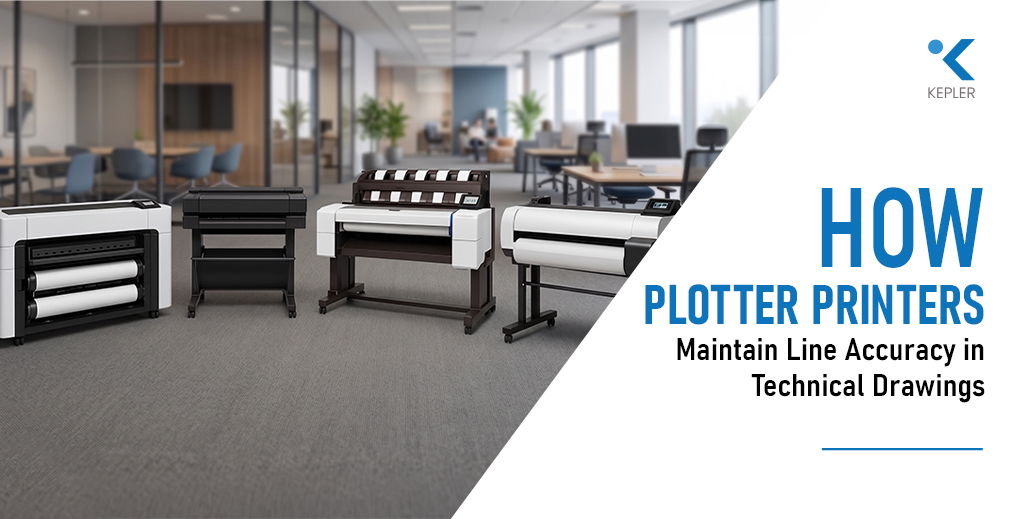
How Plotter Printers Maintain Line Accuracy in Technical Drawings
Why Line Accuracy Can Make or Break a Project Have you ever printed a technical drawing where lines didn’t align perfectly? At first glance, it may seem like a minor issue. But in real-world applications especially in architecture, engineering, and construction even a 1 mm deviation can lead to costly mistakes. Misaligned dimensions in a floor plan or inaccurate scaling in a structural drawing can affect execution, materials, and overall project outcomes. This is why line accuracy is critical in CAD, GIS, and engineering prints. Unlike standard office printers, a plotter printer is specifically designed to handle precision at a much higher level. It doesn’t just print images it ensures that every line, dimension, and scale is reproduced exactly as intended. So how do plotter printers achieve this level of accuracy? The answer lies in a combination of hardware precision, software processing, media handling, and calibration systems. Each of these components plays a vital role in ensuring consistent and reliable output. This guide is designed for: Let’s explore how modern plotters maintain such high levels of line accuracy—and why it matters more than you might think. What Line Accuracy Means in Technical Printing Line accuracy in technical printing refers to dimensional precision and scaling correctness, not just how clean or sharp a line looks. Many people confuse visual quality with technical accuracy. A print might appear crisp and well-defined, but if the dimensions are even slightly off, it fails its purpose in professional workflows. In industries like engineering and construction, drawings follow strict tolerance levels. These tolerances define how much deviation is acceptable—and in many cases, the margin is extremely small. Even a 1 mm error in a large-format drawing can translate into significant miscalculations on-site. For example: This is where a plotter printer differs from a standard printer. It prioritizes precision over appearance, ensuring that every line is placed exactly where it should be. The key takeaway is simple: Accuracy is not about how a print looks it’s about whether it can be trusted for real-world execution. How Plotter Printers Are Engineered for Precision The ability of a plotter printer to maintain line accuracy starts with its internal engineering. Unlike conventional printers, plotters are built with precision-focused components that control movement, ink placement, and media handling. At the core of this system are precision printheads. These printheads are capable of placing extremely small ink droplets with high accuracy. The control over droplet size and placement ensures that lines remain sharp and consistent, even in highly detailed drawings. Another critical component is the use of high-resolution stepper motors. These motors control the movement of the printhead across the axes. Because of their precision, they ensure that each movement is calculated and repeatable, which is essential for maintaining consistent line placement. The belt and carriage system also plays a major role. It ensures smooth movement of the printhead while minimizing vibrations and mechanical backlash. Any inconsistency in movement could lead to misaligned lines, which is why stability is crucial. Equally important is the paper feed mechanism. A plotter printer advances the paper with extreme precision, ensuring that each pass aligns perfectly with the previous one. This is especially important in large-format prints where even small shifts can accumulate into noticeable errors. For example, models like the Epson SureColor SC-T3100 are designed with advanced motion control systems that support consistent line accuracy in technical workflows. The overall takeaway is that mechanical engineering inside plotters ensures repeatable and reliable precision, making them suitable for demanding applications. The Role of File Type and Vector Data While hardware plays a major role, file type is equally important in maintaining line accuracy. Technical drawings are typically created using vector-based formats. Unlike raster images, which are made up of pixels, vector files use mathematical equations to define lines and shapes. This allows them to scale infinitely without losing quality. This is crucial for large-format printing. When a vector file is printed using a plotter printer, the device interprets the data and reproduces lines with exact precision, regardless of size. Common formats used in technical workflows include: Plotters are optimized to handle these formats efficiently, ensuring that line weights, dimensions, and scaling remain intact. Scaling is another key factor. Inaccurate scaling during printing can distort measurements, even if the file itself is correct. This is why maintaining a 1:1 scale (or specified ratio) is critical in technical printing. Modern systems, including advanced models like the Epson SureColor SC-T5100M Plotter Printer, are designed to process vector data efficiently, ensuring that accuracy is preserved from screen to print. The insight here is clear: Plotter printers rely heavily on vector precision to maintain line accuracy in technical drawings. Media Handling and Its Impact on Accuracy Even with perfect hardware and file preparation, line accuracy can be affected by something as simple as paper handling. In large-format printing, media stability plays a critical role. A plotter printer must ensure that the paper moves consistently and remains aligned throughout the printing process. One important factor is the difference between roll media and sheet media. Roll media is commonly used for large prints, but it requires proper alignment and tension. If the roll is not loaded correctly, it can lead to skewing and misalignment. Media tension is another critical aspect. The printer must maintain consistent tension as the paper moves through the system. Any variation can result in uneven feeding, which directly affects line placement. Environmental factors also come into play. In humid conditions, paper can expand or contract slightly. While this change may seem negligible, it can impact precision in technical drawings. This is why professionals often use high-quality media and controlled environments when working with plotters. The key takeaway is simple: Even the most advanced plotter printer cannot maintain accuracy if the media is unstable or poorly handled. Calibration and Alignment Systems Maintaining line accuracy is not just about initial setup—it requires continuous calibration.Modern plotters include automatic calibration systems that ensure consistent performance over time. These systems adjust for minor variations
How Plotter Printers Maintain Line Accuracy in Technical Drawings Read Post »