keplertech

Blogs

Why Businesses Should Buy from Authorized Printer Suppliers Instead of Resellers
Printer suppliers

Why Businesses Should Buy from Authorized Printer Suppliers Instead of Resellers

Are You Buying the Right Printer from the Right Source? Imagine this: your business invests in a new printer expecting smooth operations, printing invoices, marketing materials, or technical drawings. But within a few months, you start facing issues with poor print quality, frequent breakdowns, or worse, no support when something goes wrong. Sounds familiar? For many businesses, the problem isn’t the printer itself; it’s where they bought it from. Choosing between authorized printer suppliers and resellers can make a significant difference in performance, cost, and long-term reliability. Whether you’re investing in office printers, photo printers, or technical printers like plotters, the source plays a crucial role in your overall experience. Many businesses rely on trusted brands like Epson and Citizen, but even the best brands can underperform if not sourced correctly. The reality is simple: Buying from authorized printer suppliers ensures authenticity, expert support, and long-term value, something resellers often fail to deliver. Let’s explore why this choice matters more than most businesses realize. Authorized Suppliers vs Resellers: What’s the Real Difference? Before diving into the benefits, it’s important to understand the fundamental difference between authorized suppliers and resellers because, on the surface, they may seem similar. Authorized printer suppliers operate with direct approval from manufacturers such as Epson and Citizen. This relationship is not just about selling products; it involves meeting strict standards set by the brand. These suppliers are trained, certified, and continuously updated on the latest technologies, models, and service practices. When you buy from them, you are essentially buying through an extension of the brand itself. Resellers, however, function differently. They typically source products through distributors, third parties, or even secondary markets. While some may offer genuine products, there is often a lack of consistency in quality, authenticity, and support. Key Differences at a Glance: This distinction becomes especially important when printers are not just tools but essential business assets. Hidden Risks of Buying from Resellers At first glance, buying from a reseller can feel like a smart financial decision. Lower prices and quick availability often attract businesses trying to manage budgets. However, what appears to be a cost-saving move can gradually turn into a series of unexpected challenges. Some of the most common risks include: These issues directly affect performance, reliability, and long-term usability. The impact becomes even more visible when we look at different printer types: What initially seems like a cheaper option often turns into a more expensive and stressful experience in the long run. Key Benefits of Buying from Authorized Printer Suppliers When businesses choose to work with authorized printer suppliers, they are not just purchasing a product; they are investing in reliability, expertise, and long-term efficiency. One of the biggest advantages is the assurance of genuine products. Authorized suppliers provide direct access to original printers from the leading brands, ensuring that businesses get the latest models with updated technology. What Businesses Gain from Authorized Suppliers: Another key advantage lies in expert consultation. Instead of guessing which printer to choose, businesses receive proper guidance based on their needs. Whether it’s selecting efficient office printers, high-quality photo printers, or precision-driven plotters, this support helps avoid costly mistakes. Access to genuine consumables is equally important. From printer inks to specialized papers, using original supplies ensures consistent output quality and helps extend the life of the equipment. Perhaps the most valuable benefit is after-sales support. Authorized suppliers provide ongoing assistance through services like installation, regular maintenance, troubleshooting, and even managed print service, ensuring that businesses can operate smoothly without worrying about technical disruptions or unexpected downtime. Choosing the Right Printer for Your Business Needs Selecting the right printer is just as important as choosing the right supplier. Different businesses have different requirements, and understanding these needs can make a significant difference in efficiency and output quality. To simplify this, businesses should consider the following: Office printers are typically the backbone of everyday operations. They are designed for speed, efficiency, and consistent performance. Businesses that rely heavily on documentation need machines that can handle continuous usage without interruptions. Photo printers, on the other hand, focus on quality. They are widely used in marketing and creative industries where visual output matters. Even minor inconsistencies in ink or paper can impact the final result. Technical printers, or plotters, are essential for industries like architecture and engineering. These printers require precision and reliability, as even small errors can lead to costly project delays. Authorized suppliers help businesses match the right printer to their exact needs, ensuring better performance and long-term satisfaction. Long-Term Value vs Short-Term Savings When it comes to purchasing printers, many businesses focus heavily on the initial cost. While this is understandable, it often leads to decisions that overlook long-term value. Resellers may offer lower upfront prices, but they often come with hidden costs such as repairs, replacements, and downtime. Over time, these expenses can outweigh the initial savings. Authorized suppliers, on the other hand, provide better long-term value through: Smart businesses invest in reliability, not just the lowest price. Cost Comparison Table Factor Resellers Authorized Suppliers Initial Cost Usually lower Slightly higher Product Quality May vary depending on source Consistently genuine and reliable Warranty Limited or seller-based Official manufacturer warranty Maintenance Cost Can be higher over time Lower with proper support Lifespan May vary Generally longer and more stable Why UAE Businesses Prefer Authorized Suppliers In a fast-paced and competitive market like the UAE, businesses cannot afford delays or inefficiencies. Printing systems are often integrated into daily operations, and any disruption can impact productivity and customer satisfaction. This is why many organizations prefer working with reliable printer suppliers in Dubai who can deliver consistent quality and support. Key Reasons Behind This Preference: Choosing the right supplier has become a strategic decision rather than just a purchasing choice. FAQs 1. What is an authorized printer supplier?An authorized printer supplier is a certified partner of printer manufacturers who sells genuine products with official warranty and support. 2. Are reseller printers reliable?Reseller printers can vary in quality. Some

Why Businesses Should Buy from Authorized Printer Suppliers Instead of Resellers Read Post »
What Type of Printer Does Your Business Really Need? A Practical Guide
Printers

What Type of Printer Does Your Business Really Need? A Practical Guide

Choosing a printer for your business might seem like a simple task at first. With so many options available, different models, features, and price ranges, it’s easy to assume that any standard device will get the job done. But in reality, the type of printer you choose can directly impact your daily operations, productivity, and even long-term costs. But here’s the real question: Are you using the right printer for your business needs? Many businesses assume that all printers are more or less the same. They choose based on price, brand, or quick recommendations, only to realize later that the device doesn’t meet their expectations. Slow performance, high maintenance costs, or missing features can quickly turn a simple purchase into a long-term problem. The reality is, choosing the right printer isn’t just about buying a device; it’s about aligning technology with your business workflow. Whether you’re running a small office, a creative studio, or a technical firm, your printing requirements can be very different. Choosing the wrong printer doesn’t just affect performance—it increases costs and reduces efficiency. So, how do you choose the Best office printer for your business? Let’s break it down step by step. Understanding Your Business Printing Needs Before exploring different printer types, it’s important to take a step back and understand what your business actually needs. Many businesses make the mistake of choosing a printer first and adjusting their workflow later, which often leads to inefficiencies. Instead, the smarter approach is to evaluate your requirements clearly. Ask yourself: A small business with moderate usage may have completely different requirements compared to a company handling large volumes of printing daily. Similarly, a business focused on design or photography will prioritize output quality, while an engineering firm will focus on precision and scale. Understanding these factors helps you move from guesswork to a more informed decision. It also ensures that you invest in a printer that supports your operations rather than slowing them down. Types of Printers for Business Once you have clarity on your needs, the next step is understanding the different types of printers available. Each category is designed for specific use cases, and choosing the right one depends on how your business operates. Office Printers Office printers are the backbone of most workplaces. They are designed to handle everyday tasks such as printing documents, reports, invoices, and internal communications. These printers focus on: For businesses with regular printing needs, selecting the best office printer is crucial to maintaining productivity. Modern office printers are built to handle continuous usage, making them ideal for small to medium-sized businesses. Photo Printers Photo printers are specialized devices designed for high-quality image output. They are widely used in industries where visual presentation matters, such as marketing, advertising, and photography. These printers prioritize: Businesses that rely on visuals, such as branding agencies or studios, benefit greatly from investing in photo printers. Even portable photo printers are becoming popular for quick and convenient printing. Technical / CAD Printers Technical printers, often used for CAD drawings and large-format printing, serve industries like architecture, engineering, and construction. These printers are built for precision and scale. They are ideal for: Choosing the right CAD drawing printer or commercial printer ensures that even the smallest details are reproduced accurately, which is critical in technical fields. Multi-Function Printers One of the most practical solutions for modern businesses is the printer scanner copier, also known as a multi-function printer. Instead of using separate machines for printing, scanning, and copying, businesses can rely on a single device that performs all these functions efficiently. Key advantages include: For most businesses, a multifunction printer offers the perfect balance between functionality and efficiency. This makes it a preferred choice, especially for offices looking to streamline operations without investing in multiple devices. Single-Function vs Multi-Function: What Should You Choose? A common dilemma businesses face is whether to invest in a single-function printer or a multi-function device. Single-function printers are designed for specific tasks. They are often used in environments where performance in one area, such as high-speed printing or specialized output, is critical. For example, a dedicated photo printer or a large-format plotter serves a very focused purpose. On the other hand, multi-function printers are built to handle multiple tasks within a single device. They combine printing, scanning, and copying, making them highly versatile. The choice depends on your business requirements. If your work involves specialized printing needs, a dedicated printer may be necessary. However, for most businesses, managing multiple devices can increase complexity and cost. Many organizations today prefer multi-function printers because they simplify operations and reduce the need for additional equipment. This is why multifunction printers have become a popular choice for businesses looking to improve efficiency without compromising functionality. Cost Considerations: What Businesses Often Ignore When purchasing a printer, many businesses focus only on the initial price. While this is an important factor, it does not provide a complete picture. The real cost of a printer includes several ongoing expenses: A printer with a low upfront cost may end up being expensive in the long run due to high ink usage or frequent repairs. Similarly, ignoring maintenance can lead to unexpected downtime and additional expenses. The cheapest printer is not always the most cost-effective. Businesses should evaluate the total cost of ownership rather than just the purchase price. This approach helps in making smarter investment decisions and avoiding unnecessary expenses over time. How to Choose the Best Printer for Your Business Now that you understand the different types of printers and their cost implications, the next step is making the right choice. A practical approach is to match your business needs with the right features and capabilities. Here’s a simple way to decide: Businesses looking to buy office printers should also think about reliability and support. A printer is not just a one-time purchase; it is an ongoing part of your operations. Taking the time to evaluate your options carefully can help you choose a solution that delivers both

What Type of Printer Does Your Business Really Need? A Practical Guide Read Post »

Buying a Printer With or Without AMC: Which Is Better for Your Business?
Managed print service

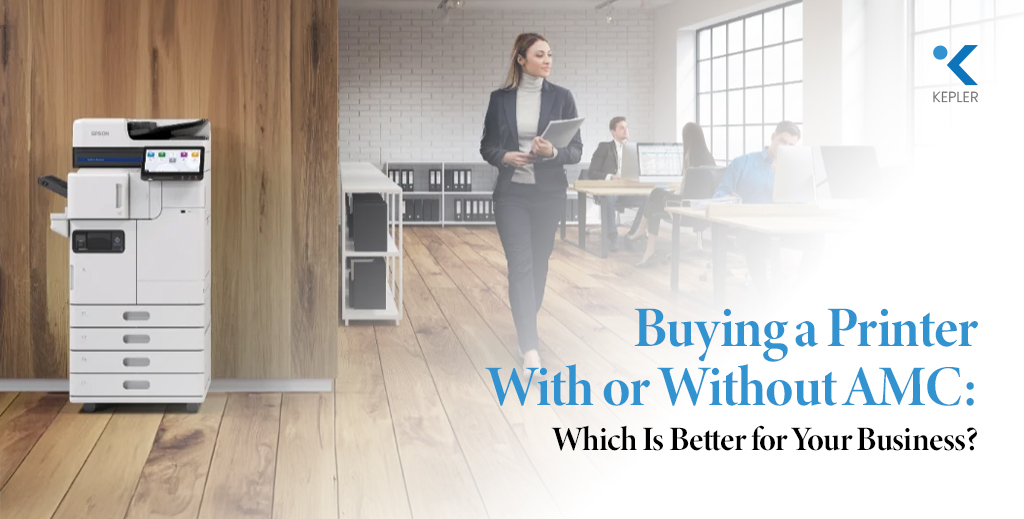
Buying a Printer With or Without AMC: Which Is Better for Your Business?

In modern offices across Dubai and the UAE, printers remain one of the most essential workplace tools. From invoices and contracts to reports and operational documents, office printers quietly support the daily workflow of nearly every organization. While digital transformation continues to reshape business operations, printing remains critical for documentation, compliance, and client communication. However, when companies plan to invest in a new printer, they often face an important question: Should they simply buy a printer, or choose a printer purchase with a printer annual maintenance contract? At first glance, purchasing a printer alone may appear to be the easiest and cheapest option. But many businesses quickly discover that the true cost of printing goes far beyond the initial purchase price. Maintenance issues, technical failures, spare parts replacement, and downtime can quickly disrupt productivity and increase operational costs. This is why many organizations today are turning to managed print service solutions, where printers are purchased along with a printer annual maintenance contract that ensures regular servicing, technical support, and operational reliability. So which option truly delivers better value for businesses? Before we explore the answer, let’s first understand the key differences between a printer purchase and a printer purchase with AMC, and why this decision matters for businesses operating in Dubai and across the UAE. Understanding Printer Purchase vs Printer Purchase with AMC Choosing between purchasing a printer alone and purchasing one with an annual maintenance contract can significantly affect the long-term performance and cost efficiency of your printing infrastructure. Let’s break down both approaches. Printer Purchase Without AMC When a company purchases a printer without any maintenance agreement, the organization owns the equipment but is fully responsible for its upkeep. This means businesses must manage: At first, this may not seem like a problem. But over time, unexpected breakdowns or recurring technical issues can increase operational expenses and disrupt business operations. For businesses that rely heavily on printing, even a short period of downtime can delay workflows, interrupt document processing, and affect customer service. Printer Purchase with AMC On the other hand, purchasing a printer with a printer annual maintenance contract offers a proactive approach to printer management. With an AMC plan, businesses receive: This type of managed print service ensures that printers remain operational, efficient, and well-maintained throughout their lifecycle. Why This Matters in the UAE Business Environment Dubai and the wider UAE host one of the most competitive business ecosystems in the world. Companies operate in fast-paced industries where operational efficiency and productivity are critical. Businesses cannot afford unnecessary downtime caused by equipment failures. As a result, many organizations prefer printer management solutions that provide reliability and predictable operational costs. That’s why printer purchase with AMC has become an increasingly popular model among companies seeking long-term efficiency and operational stability. Now let’s explore the specific benefits that make AMC such a valuable solution. Benefits of Printer Purchase with AMC Choosing an annual maintenance contract for your printer, alongside your purchase, offers several advantages that go far beyond basic maintenance. Let’s look at the key benefits businesses experience. Cost Savings and Predictable Expenses One of the biggest benefits of an AMC plan is financial predictability. Without an AMC, printer repair costs can vary widely depending on the issue. A malfunctioning printhead, network connectivity problem, or mechanical failure can lead to unexpected service charges. With an AMC, these costs are typically bundled into a fixed service agreement. This allows businesses to: Over time, this predictable expense structure often proves more cost-effective than paying for multiple emergency repairs. Expert Technical Support Another major advantage of AMC services is access to experienced technicians who specialize in printer maintenance and troubleshooting. When technical issues occur, businesses with AMC support receive priority service from trained professionals. Instead of waiting for external technicians or attempting to solve problems internally, companies benefit from: This level of technical expertise ensures that printers return to operation quickly, minimizing disruptions. Reliability and Reduced Downtime Printer downtime can interrupt business workflows and delay critical processes. Imagine a finance team unable to print invoices, or a legal department unable to produce important documentation. Even minor printing disruptions can affect business productivity. With a managed print service, printers receive routine inspections and preventive maintenance. Technicians monitor system performance and detect potential issues before they cause major breakdowns. This proactive approach results in: As a result, businesses experience smoother operations and better productivity. Extended Printer Lifespan Office printers are significant investments, and organizations want them to last as long as possible. Without regular servicing, printers can deteriorate faster due to: A printer’s annual maintenance contract ensures that equipment is maintained using proper procedures and genuine components. Regular servicing helps extend the lifespan of office printers, delaying the need for expensive replacements and maximizing the return on investment. Peace of Mind for Business Owners and IT Teams Running a business already involves countless responsibilities. Managing printer maintenance should not add unnecessary stress to business owners or IT departments. AMC agreements provide peace of mind by ensuring that printer management is handled by professionals. This means: Ultimately, AMC transforms printer management from a reactive challenge into a reliable and predictable system. Why UAE Businesses Prefer Printer Purchase with AMC In the UAE’s competitive business landscape, organizations constantly seek solutions that increase efficiency while reducing operational risks. Printer purchase with AMC aligns perfectly with this goal. Many industries in Dubai depend heavily on reliable printing systems. These include: For these sectors, uninterrupted printing operations are essential for maintaining productivity and service quality. A printer’s annual maintenance contract helps businesses ensure consistent printer performance while minimizing downtime and operational disruptions. Additionally, companies operating in the UAE prefer managed print service solutions because they simplify device management and improve overall efficiency. Instead of worrying about printer maintenance, businesses can focus on their core operations while experts handle the technical aspects of printing infrastructure. This shift toward managed services reflects the growing demand for smarter and more reliable business solutions across the region. Key Considerations for Businesses

Buying a Printer With or Without AMC: Which Is Better for Your Business? Read Post »

ERPNext
ERP

From Data Risks to Smart Security: How ERPNext Protects Business Data

In today’s digital-first economy, business data has become one of the most valuable assets for organizations. From financial records and customer information to operational reports and supply chain data, companies rely heavily on digital systems to manage and protect their critical information. However, as businesses expand their digital operations, the risk of cyber threats, data breaches, and unauthorized access continues to grow. Across the UAE’s fast-evolving business landscape, organizations are increasingly aware that data security is no longer optional; it is a strategic necessity. Governments are strengthening data protection regulations, while businesses are investing in advanced technologies to safeguard sensitive information and maintain operational continuity. This is where ERPNext emerges as a powerful and reliable solution. As a modern business software platform, ERPNext integrates multiple business functions into a single system while offering robust security mechanisms that help organizations protect their most valuable digital assets. But how exactly does ERPNext transform data risks into smart security strategies for businesses? Let’s explore the challenges companies face today and discover how ERPNext provides a secure, scalable, and intelligent approach to data protection. Understanding Data Risks in the Modern Business Landscape Before exploring the security advantages of ERPNext, it is important to understand the data risks businesses commonly face today. Growing Cybersecurity Threats Digital transformation has brought enormous opportunities, but it has also increased the exposure of businesses to cyber risks. Companies frequently face threats such as: For organizations managing large volumes of data, even a single vulnerability can lead to serious consequences. Impact of Data Breaches on Businesses A data breach can affect a company in several ways: Financial Losses Organizations may suffer financial damages due to system downtime, recovery costs, legal penalties, or operational disruptions. Reputation Damage Customer trust is difficult to build but easy to lose. Data leaks or security incidents can significantly harm a company’s credibility. Operational Disruption When systems become compromised, businesses may struggle to maintain daily operations, affecting productivity and decision-making. Regulatory and Compliance Requirements As digital ecosystems grow, governments are implementing stricter data protection and cybersecurity regulations to ensure responsible data management. Businesses must maintain: Failing to meet these requirements can result in regulatory penalties and operational risks. This is why companies are increasingly adopting advanced business solutions that combine operational management with strong security frameworks. And this is exactly where ERPNext stands out. ERPNext Security Features That Protect Business Data ERPNext is designed not only as a powerful business software platform but also as a secure environment that protects sensitive data across departments. Let’s explore the key security features that make ERPNext a reliable system for modern organizations. Role-Based Access Control One of the most important aspects of data security is controlling who can access specific information within an organization. ERPNext uses Role-Based Access Control (RBAC) to ensure that employees only access the data relevant to their responsibilities. For example: This structured access control ensures that sensitive data remains protected while employees continue working efficiently. By limiting access permissions, businesses significantly reduce the risk of unauthorized data exposure or misuse. Advanced Data Encryption Encryption is a fundamental component of modern data protection. ERPNext protects business data using secure encryption protocols, ensuring that sensitive information remains protected during storage and data transfer. Encryption safeguards critical data such as: Even if unauthorized access occurs, encrypted data remains unreadable without the correct credentials. This makes ERPNext a strong defense against cyber threats targeting business systems. Comprehensive Audit Trails Transparency and accountability are essential for maintaining secure systems. ERPNext provides detailed audit trails, allowing organizations to track every transaction and system activity. Audit logs record: These logs allow businesses to monitor activities in real time and quickly identify unusual behavior. If a security issue occurs, audit trails make it easier to trace the source and respond quickly. Two-Factor Authentication ERPNext supports Two-Factor Authentication (2FA) to add a layer of protection for user accounts. With 2FA enabled, users must verify their identity using a secondary authentication method, such as: This extra security step greatly reduces the chances of unauthorized system access. Data Backup and Recovery Systems Data loss can occur due to cyberattacks, hardware failures, or human error. ERPNext includes reliable data backup and recovery mechanisms that ensure business continuity. Regular backups allow organizations to: A strong backup strategy is a critical component of smart security planning. Secure Cloud and On-Premise Deployment ERPNext offers flexible deployment options that enhance data security. Businesses can choose: This flexibility allows companies to implement security strategies that align with their operational requirements and risk management policies. Custom Security Configurations Every business operates differently, and ERPNext understands that security requirements vary across industries. The platform allows organizations to customize: This ensures that companies can implement security measures tailored to their operational needs. Benefits of ERPNext for Businesses Beyond its security capabilities, ERPNext offers several advantages that help organizations strengthen their operational resilience. Improved Compliance Management Businesses must comply with various regulatory frameworks and data protection guidelines. ERPNext helps organizations maintain compliance by providing: This makes it easier for companies to meet regulatory expectations and maintain responsible data practices. Enhanced Data Security With built-in encryption, role-based access controls, and system monitoring tools, ERPNext creates a secure digital environment. Businesses can confidently manage sensitive information such as: Strong data protection enhances both internal security and external trust. Centralized Data Management ERPNext integrates multiple departments within a single system. This centralized architecture reduces the risks associated with: With all business data stored in a unified system, organizations gain better visibility and improved control over information. Increased Operational Efficiency ERPNext automates business processes across departments, including: Automation reduces manual errors while improving productivity and data accuracy. This allows businesses to focus on growth while maintaining secure and reliable systems. Scalable Business Growth As companies expand, their data and operational requirements grow as well. ERPNext is designed to scale with businesses by supporting: This ensures that security and operational performance remain strong even as organizations grow. Implementing ERPNext for Data Security Adopting ERPNext successfully requires a well-planned implementation strategy.

From Data Risks to Smart Security: How ERPNext Protects Business Data Read Post »

Why Epson Photo Printers Are the First Choice for Professional Photographers
Photo printer

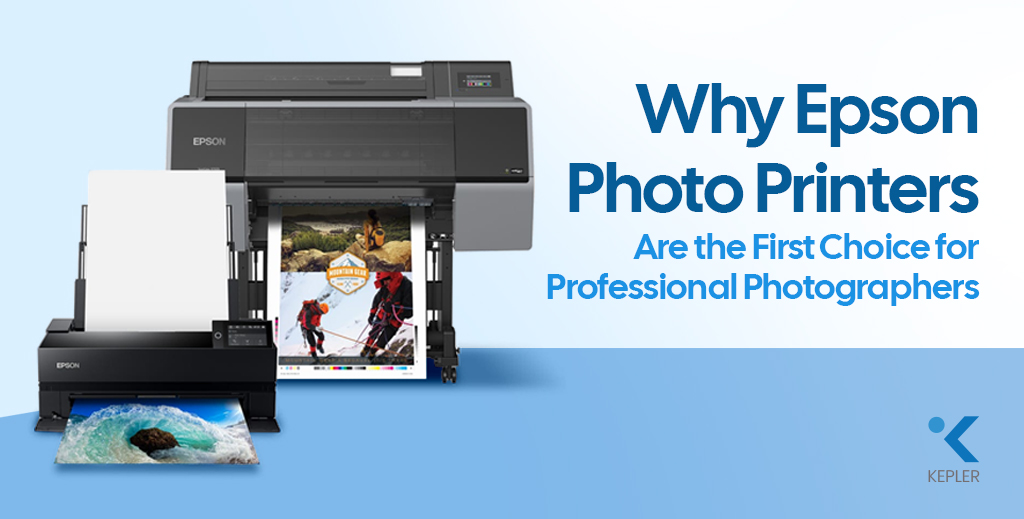
Why Epson Photo Printers Are the First Choice for Professional Photographers

Professional photography has transformed from a niche creative field into a thriving global industry. Weddings are grander, commercial campaigns are more visually demanding, and fine art photography is gaining unprecedented recognition. Clients no longer want “good” prints; they expect gallery-quality pieces that preserve every detail, every shade, and every emotion. But let’s pause and reflect on something important. You may invest heavily in cameras and lenses, carefully edit your images, and perfect every color tone on screen. Yet, what ultimately reaches your client’s hands is not a digital file; it is a print. And that final output depends entirely on your Photo Printer. Before choosing a printer, every professional should ask: This is where Epson has established itself as an undisputed leader. Across studios, galleries, and commercial production houses, Epson professional photo printers are trusted for their precision, longevity, and color brilliance. Epson photo printers combine advanced ink technology, engineering reliability, and scalable performance, making them the preferred choice for professionals seeking the Best Printer for Photographers. What Professional Photographers Truly Expect from a Photo Printer Professional photographers do not choose equipment casually. Every investment must justify itself in performance and business value. First and foremost, color accuracy is essential. A portrait photographer cannot afford unnatural skin tones. A landscape artist cannot tolerate muted blues or crushed shadows. The print must faithfully replicate the creative vision crafted during editing. Longevity is equally critical. When a wedding client receives an album, they expect those memories to remain vibrant for decades. Fine art collectors demand archival-quality prints that can withstand time and light exposure. Media flexibility also plays a major role. Professionals regularly work with matte photo paper for soft artistic depth, glossy photo paper for vibrant commercial visuals, textured fine art sheets for exhibitions, and even canvas for wall displays. A capable Photo Printer must handle all of these seamlessly. Large-format capability, consistent output across batches, and cost control are also central to a studio’s workflow. These expectations define the benchmark — and Epson consistently exceeds it. Epson’s Advanced Print Technology: The Engineering Advantage The reason Epson dominates the world of professional photo printers lies in its proprietary technology. Unlike many thermal inkjet competitors, Epson uses Micro Piezo printhead technology. This mechanical precision system controls ink droplet size without heat, ensuring exceptional accuracy and long-term reliability. The result is sharper detail, smoother gradation, and consistent droplet placement across every print. Epson’s pigment-based UltraChrome ink systems further elevate output quality. These inks expand the color gamut significantly, producing richer blacks, smoother tonal transitions, and deeper color intensity. Whether printing on matte photo paper or glossy photo paper, the vibrancy remains intact. Resolution also matters. Many Epson Photo Printer models deliver ultra-high DPI output, ensuring fine textures, hair details in portraits, and subtle highlight transitions are preserved with remarkable clarity. For professionals who refuse to compromise, this technological precision becomes a decisive factor. Color Accuracy & Print Consistency: Where Epson Excels Color is not just a feature in photography; it is the language of emotion. Epson printers integrate seamlessly with ICC profiles and professional calibration systems, ensuring what you see on screen translates accurately onto Photo Printing Paper. For wedding studios printing hundreds of images from a single event, consistency across batches is crucial. Epson printers maintain tonal uniformity and color balance across repeated runs, preserving brand credibility. Shadow depth remains controlled. Highlights retain subtle detail. Skin tones appear natural rather than artificial. These characteristics distinguish Epson from standard photo printers designed for casual use. Epson vs Other Photo Printer Brands To better understand why Epson is often considered the Best Printer for Photographers, let’s compare it with other major photo printer brands in the professional segment. Key Factor Epson Professional Photo Printers Other Major Photo Printer Brands Print Technology Micro Piezo technology (heat-free precision droplet control) Mostly thermal inkjet systems Ink System Advanced pigment-based UltraChrome inks Mixed dye or pigment systems Color Gamut Wide color gamut with rich blacks and smooth gradation Good, but often narrower color depth Archival Longevity Museum-grade durability with strong fade resistance Moderate to high longevity, depending on the model Large Format Options Extensive Epson large-format printer lineup for studio and exhibition use Limited wide-format options in many ranges Media Compatibility Excellent performance on matte photo paper, glossy photo paper, fine art paper, and canvas Compatible, but may require brand-specific media Scalability Suitable for desktop studios to high-volume production Often segmented between entry-level and industrial only Long-Term Reliability Consistent batch output and durable printhead design Varies by model and usage level While several brands produce capable photo printers, Epson consistently stands out in precision engineering, color accuracy, and scalability. For professionals who prioritize archival quality, large-format flexibility, and long-term reliability, Epson remains one of the safest and most performance-driven investments in the industry. Epson Solutions for Different Professionals Different photography niches require tailored solutions, and Epson understands that no two professionals have identical production needs. Wedding and portrait photographers often prefer the Epson SureColor P900 Photo Printer for its vibrant album-quality output, deep blacks, and smooth tonal gradation. It delivers stunning results on glossy photo paper while maintaining subtle skin tones on matte photo paper. Fine art photographers seeking gallery-grade results benefit from the Epson SureColor SC-P700 13″ Photo Printer, known for its exceptional tonal control, shadow retention, and compatibility with textured Photo Printing Paper. Commercial studios and exhibition producers rely on Epson’s wide-format lineup because it offers: This adaptability makes Epson professional photo printers suitable for both boutique studios and high-output production houses. Frequently Asked Questions 1. What is the best Epson printer for professional photography? It depends on print size and production needs. SureColor series models are widely regarded as industry benchmarks due to their pigment ink systems and color precision. 2. Are Epson photo printers suitable for fine art printing? Yes. Epson’s pigment-based systems deliver archival, museum-grade results ideal for exhibitions and collectors. 3. Which paper works best with Epson photo printers? Both matte photo paper and glossy photo paper perform exceptionally well. Epson

Why Epson Photo Printers Are the First Choice for Professional Photographers Read Post »

The Importance of Business Document Scanners in Modern Office Efficiency
Document Scanner

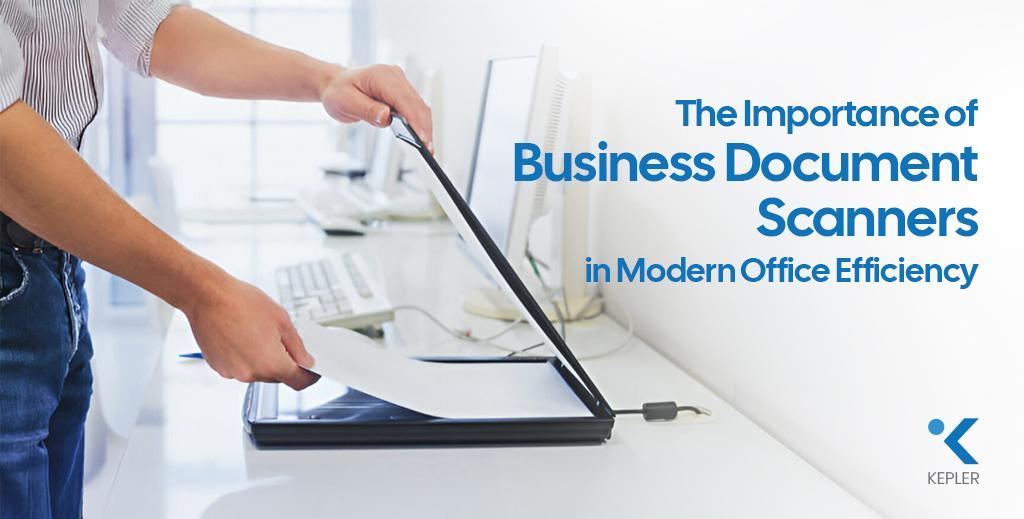
The Importance of Business Document Scanners in Modern Office Efficiency

Walk into any modern office today, and you’ll notice one clear shift – businesses are moving rapidly toward digital workflows. Contracts are signed electronically, invoices are stored in cloud systems, and teams collaborate in real time. Yet, many offices still struggle with manual paper processes: misplaced documents, slow approvals, physical storage limitations, and time-consuming data entry. So how do organizations bridge the gap between paper-based processes and digital efficiency? The answer lies in the smart use of a document scanner. From high-speed scanner models designed for busy departments to wireless scanner solutions that support flexible workspaces, modern scanning technology plays a critical role in transforming office productivity. Whether it’s a compact business scanner for small teams or an advanced Epson business scanner built for enterprise workloads, the right solution significantly improves workflow efficiency in modern offices by reducing processing time, enhancing document organization, and lowering operational costs. Let’s explore how. What Is a Document Scanner? Before diving deeper, let’s clarify the basics. A document scanner is a device that converts physical documents into digital files. These files can then be stored, shared, edited, or archived electronically. In modern document management systems, scanners act as the gateway between paper and digital workflows. Today’s business scanner models are designed specifically to handle office documents efficiently, whether in black-and-white or full color. Flatbed Scanner vs Sheetfed Scanner There are two common types used in offices: 1. Flatbed Scanner A flatbed scanner features a glass surface where documents are placed manually. It is ideal for: Many flatbed models also function as high-quality color scanners, making them suitable for scanning brochures, reports, and image-rich materials. For example, an Epson flatbed scanner offers high-resolution output for detailed documents and graphics. 2. Sheetfed Scanner A sheetfed scanner feeds multiple pages automatically through an Automatic Document Feeder (ADF). It is perfect for: Many businesses prefer sheetfed models for their speed and efficiency, especially when combined with duplex scanning. In fast-paced environments, a dedicated business scanner of this type becomes a productivity asset. Both types support different workflows, but choosing the right one depends on office volume and document type. How Document Scanners Improve Workflow Efficiency Now let’s break down exactly how scanners transform daily operations. 1️. Faster Document Processing with High-Speed Scanners Time is money in any business. A high-speed scanner dramatically reduces the time required to digitize documents. Instead of scanning pages one by one, modern scanners can process dozens of pages per minute. For high-volume environments, a heavy-duty office scanner ensures consistent performance without slowing down operations. For example, the Epson WorkForce WF DS-770 II Color Duplex Document Scanner is designed for fast-paced offices. As a powerful color scanner, it delivers sharp, accurate scans for contracts, reports, and marketing materials. It also represents a reliable Epson business scanner solution for organizations that demand both speed and image clarity. Devices like this eliminate bottlenecks in accounting, HR, and administrative departments. 2. Duplex Scanning Saves Time One of the most important features for workflow optimization is duplex scanning. Duplex scanning allows both sides of a document to be scanned simultaneously. Without it, employees must manually flip pages — doubling the time required. Benefits include: In high-volume offices, duplex capability is not optional — it’s essential for any serious business scanner setup. 3. Wireless Connectivity Enhances Flexibility Modern offices demand flexibility. A wireless scanner allows documents to be scanned directly to: For example, the Epson WorkForce WF ES-500WII Wireless Duplex Document Scanner enables seamless wireless connectivity, making it ideal for hybrid and collaborative workspaces. As an Epson business scanner with wireless capability, it supports real-time sharing across departments. A wireless printer scanner setup further enhances shared access and centralized control. Wireless functionality removes cable dependency and supports remote workflow integration. 4. Improved Document Organization with OCR and Digital Archiving Scanning alone isn’t enough — intelligent document organization is key. Many modern scanners include Optical Character Recognition (OCR), which converts scanned text into searchable, editable files. This enables: An A4 scanner is typically sufficient for standard office documents, making it the most practical choice for everyday operations. Whether you’re using a compact business scanner or a heavy-duty model, OCR transforms scanned files into accessible digital assets. By digitizing and indexing documents, offices eliminate clutter and improve information accessibility. 5. Reduced Operational Costs While some businesses focus only on scanner price, they often overlook long-term savings. A document scanner reduces: When evaluating Epson scanner price or overall printer and scanner price, it’s important to consider return on investment rather than just upfront cost. Efficient scanning leads to: Over time, this translates into measurable cost savings, especially when investing in a reliable Epson business scanner built for continuous use. Dedicated Document Scanner vs All-in-One Printer Many offices ask: Should we choose a dedicated document scanner or an all in one printer scanner? Dedicated Document Scanner Best for: A heavy-duty office scanner provides durability and speed for busy departments. For document-heavy organizations, a dedicated business scanner delivers more consistent results than multi-function devices. All-in-One Printer An all in one printer scanner or print scan copy machine combines printing, scanning, and copying. It’s ideal for: An inkjet printer scanner is suitable for low-to-medium volume tasks, while a dedicated scanner is better for document-intensive workflows. If scanning is central to operations, a dedicated Epson document scanner typically offers better reliability and efficiency. Why Epson Document Scanners Are Popular for Modern Offices The brand Epson has built a strong reputation in professional scanning solutions. An Epson Workforce scanner is known for: An Epson high-speed scanner delivers consistent results even under heavy workloads, making it ideal as a long-term business scanner solution. Many Epson models also function as advanced color scanner systems, ensuring accurate reproduction of charts, graphics, and branded documents. Businesses choose Epson because: When comparing options from various scanner suppliers, Epson often stands out for balancing performance and long-term value. Choosing the Right Scanner for Workflow Optimization Selecting the right scanner depends on office needs. A4 Scanner for Standard Use Most offices work primarily

The Importance of Business Document Scanners in Modern Office Efficiency Read Post »

The Hidden Issues with Refurbished Printer Rentals
Printer Rental

The Hidden Issues with Refurbished Printer Rentals

Printer rentals are widely adopted by businesses to reduce capital expenditure and simplify operations. However, when choosing a rental model, many organizations focus mainly on the monthly cost and overlook the condition of the rented equipment. Refurbished printer rentals may appear economical, but they often carry hidden issues that can affect productivity, reliability, and overall business efficiency. Understanding these risks helps businesses make informed decisions, especially when comparing refurbished rentals with brand-new printer rental solutions. As businesses increasingly rely on managed print and rental models, the condition and reliability of rented devices play a critical role in operational continuity. Choosing the right printer rental solution is not just a financial decision but an operational one that can influence workflow efficiency, employee productivity, and service delivery timelines. What Does “Refurbished Printer Rental” Really Mean? A refurbished printer rental typically involves machines that have been previously used, serviced, and redeployed to multiple clients. While these printers are restored to working condition, their usage history varies, making long-term performance less predictable. Common characteristics of refurbished rental printers: This unpredictability is one of the core challenges businesses face with refurbished printer rentals. Because refurbished rental printers are reused across multiple clients, their internal components may experience uneven wear patterns. This creates variations in performance that are difficult to detect during initial deployment but often surface during prolonged use, especially in busy office environments. Major Issues of Refurbished Printer Rental While refurbished printer rentals may function adequately at the beginning of the rental period, performance challenges tend to emerge over time. These issues often compound gradually, making it harder for businesses to anticipate failures before they impact daily operations. 1. Frequent Downtime and Operational Disruptions One of the most significant issues with refurbished printer rentals is a higher downtime risk. Components such as rollers, fusers, and print heads may already be partway through their lifespan. Downtime not only affects printing tasks but also disrupts dependent processes such as approvals, documentation, and reporting. In organizations with centralized printing, a single malfunctioning device can create delays across multiple teams. Business impacts include: In contrast, brand-new printers begin their rental lifecycle without prior wear, offering far greater reliability from day one. 2. Inconsistent Print Quality Over Time Print quality consistency is critical in corporate and client-facing environments. Refurbished printers may deliver acceptable output initially, but often degrade over time due to component fatigue. Over time, inconsistent print output can affect brand perception and document credibility, particularly for client-facing materials. Reprinting documents to correct quality issues also increases paper, toner, and time consumption. Challenges commonly observed: Brand-new printer rentals maintain consistent print quality, ensuring documents reflect professionalism throughout the rental period. 3. Support Becomes Reactive, Not Preventive Refurbished printer rentals often require reactive maintenance. Service teams are frequently called in response to failures rather than preventing them. Limitations of refurbished rental support: Brand-new printer rentals allow service providers to implement preventive maintenance, reducing disruptions and simplifying office operations. Reactive service models often lead to repeated interruptions, as issues are addressed only after failures occur. This approach can increase dependency on external support teams and reduce overall efficiency in managing office infrastructure. 4. Security and Compliance Concerns Printers handle sensitive business information, yet security is frequently overlooked. Refurbished printers may have: Brand-new printers are better aligned with current data protection and security requirements, making them more suitable for regulated and corporate environments. As printers become part of an organization’s broader IT ecosystem, outdated or unsecured devices can introduce vulnerabilities. Businesses operating in regulated industries must ensure that rented printers align with internal security policies and compliance requirements. Hidden Costs Behind Lower Rental Prices Although refurbished printer rentals come with lower monthly fees, they may introduce indirect business costs. These include: When evaluated holistically, these hidden costs can erode the apparent savings of a low-cost rental plan. These indirect costs are rarely visible in monthly rental invoices but become apparent over time through delayed workflows and reduced productivity. Evaluating printer rentals solely on rental price may lead to higher operational expenses in the long run. How Brand-New Printer Rentals Solve These Issues Brand-new printer rentals address many of the challenges associated with refurbished equipment by design. Key advantages of brand-new printer rentals: For businesses where uptime matters, brand-new rentals offer peace of mind rather than uncertainty. By starting their lifecycle with unused components, brand-new printers reduce uncertainty and allow service providers to deliver structured maintenance plans. This results in smoother operations and fewer unplanned disruptions throughout the rental term. When Refurbished Printer Rentals May Be Acceptable Refurbished rentals are not unsuitable in every scenario. They may work for: Understanding the role of the printer within business operations helps determine whether refurbished or new equipment is appropriate. In such cases, businesses should clearly define usage limits and performance expectations. This ensures that refurbished printers are deployed only where reliability and output quality are not mission-critical. Conclusion Refurbished printer rentals can seem cost-effective, but the hidden issues, downtime, inconsistent quality, and reactive support often outweigh the savings. For organizations that value reliability and business continuity, brand-new printer rentals provide a more stable and predictable solution. For businesses across Dubai and the UAE, Kepler Tech offers brand-new printer rental solutions designed for corporate environments, combining reliable hardware with dependable support to ensure printing never disrupts daily operations. Ultimately, printer rentals should support business continuity rather than introduce operational risk. Assessing long-term performance, service quality, and reliability alongside cost enables organizations to choose rental solutions that align with both current needs and future growth.

The Hidden Issues with Refurbished Printer Rentals Read Post »

Understanding the True Cost of Printing
Office Printer

Understanding the True Cost of Printing

Printing Costs Are More Than Just Paper and Ink For many businesses, office printers are considered routine tools essential for daily operations but often overlooked in terms of their total cost. Most organizations focus only on the upfront price of the printer and the paper used. However, this limited perspective masks a much larger financial reality. Printing expenses extend far beyond hardware and consumables. From energy consumption and IT support to productivity losses and security risks, poorly managed printing environments can quietly drain business resources. Understanding the true cost of office printing is the first step toward smarter, more cost-effective printing decisions. By gaining insight into all aspects of printing expenses, businesses can implement strategies that reduce waste, improve efficiency, and ultimately save money. Direct Costs of Printing: The Visible Expenses Direct costs are the most apparent printing-related expenses and the ones most organizations consider first. These include the price of hardware, Printer ink cartridges, and paper. Hardware Costs: Buying or Leasing Printers The initial cost of acquiring office printers is often underestimated. Whether you choose to purchase equipment outright or opt for a printer leasing service, printers represent a significant investment, especially for offices operating multiple devices or relying on high-capacity machines for daily business needs. Choosing the wrong printer model or an unsuitable leasing plan for your workload often results in higher long-term costs, underlining the importance of aligning printer leasing service options with actual business printing requirements. Ink and Toner Costs: The Biggest Ongoing Expense Printer cartridges are among the largest contributors to office printing costs. A printer may seem inexpensive initially, but it could rely on high-cost consumables with low page yields. Factors that increase ink and toner costs include: Over time, Printer cartridges can cost several times more than the printer itself, making them a critical component in cost analysis. Paper Costs: Not All Paper is Equal Paper may seem inexpensive, but volume printing adds up quickly. Different types of paper affect the overall cost: Beyond purchase costs, paper waste from misprints significantly increases spending. Optimizing paper choice and usage policies can make a noticeable difference in total printing expenses. Indirect Costs of Printing: The Silent Budget Killers Indirect costs are often less visible but may have a larger financial impact than direct costs. These include maintenance, energy, IT support, and productivity losses. Maintenance and Printer Repair Service Costs Printers require routine servicing, replacement parts, and occasional repairs. As devices age, maintenance costs rise, especially when multiple brands and models are used across an office. Unexpected downtime often leads to emergency printer repair service, which is usually more expensive than proactive maintenance. Managed services like managed print service can streamline maintenance, reducing both costs and disruptions. Energy Consumption Costs Even when idle, printers consume electricity. High-volume devices, especially older models, draw substantial power during warm-up, printing, and standby modes. When multiplied across several office printers operating daily, energy costs become a significant part of overhead. Energy-efficient models and optimized usage schedules can reduce consumption, improving sustainability while cutting costs. IT Support Costs Printer-related issues account for a significant portion of IT helpdesk tickets in many organizations. Common problems include: Each support request consumes IT time, increasing labor costs and diverting resources from strategic initiatives. Leveraging a managed print service can reduce the number of IT interventions needed and streamline printer management. Productivity Loss When printers fail, employees wait. Waiting for print jobs, clearing jams, reprinting documents, or walking to another floor to find a working printer translates into lost productive hours. Even small delays, repeated daily, accumulate over time, resulting in substantial financial losses. Strategic placement of printers, preventive maintenance, and policies to minimize downtime can help recapture lost productivity. Hidden Costs of Printing: What Most Businesses Miss Hidden printing costs are not always reflected in accounting reports, but have real financial consequences. Waste and Misprints Printing errors are common: Every wasted page incurs a cost in Printer cartridges, paper, and time. Without proper controls, waste can account for a significant portion of total print output. Storage and Document Handling Costs Printed documents require physical infrastructure: Physical storage consumes office space, increases administrative effort, and adds long-term costs—especially for businesses handling large volumes of paperwork. Digital alternatives, discussed below, can reduce these hidden costs dramatically. Security and Compliance Risks Unsecured printing can expose sensitive information. Documents left unattended on office printers pose data leakage risks, potentially leading to: The cost of a single data breach often far exceeds the cost of implementing secure printing controls, including secure print release or managed print service policies. Ways to Reduce Your Printing Costs Effectively Understanding printing costs is only the first step. The next phase is optimization. Optimize Printing Settings Small adjustments can produce significant savings: These changes alone can reduce paper and Printer cartridge usage, cutting direct costs substantially. Use Managed Print Services (MPS) Managed print service solutions help businesses gain full visibility and control over their entire printing environment. Benefits include: MPS reduces waste, downtime, and unpredictable expenses while improving overall office printing efficiency. Implement Print Policies Clear print policies define how employees use office printers. Examples include: Policies promote accountability and reduce unnecessary printing, directly impacting both direct and hidden costs. Consider Digital Alternatives Many documents no longer need to be printed at all. Moving toward digital workflows reduces costs and improves operational efficiency: Adopting a paperless office strategy significantly lowers long-term printing expenses, freeing up both space and resources. FAQs Related to Printing Cost What is the true cost of printing in an office?The true cost includes hardware, consumables, maintenance, energy, IT support, productivity loss, waste, and security risks, not just paper and ink. Why is printing more expensive than it appears?Many costs are indirect or hidden, such as downtime, misprints, and support overhead, which are not immediately visible. How can businesses calculate their printing costs?By tracking printer usage, consumable consumption, maintenance expenses, IT involvement, and employee time spent dealing with print issues. Can managed print services really save money?Yes. Businesses often reduce

Understanding the True Cost of Printing Read Post »

The Technical Components of Managed Print Services Explained
Managed print service

The Technical Components of Managed Print Services Explained

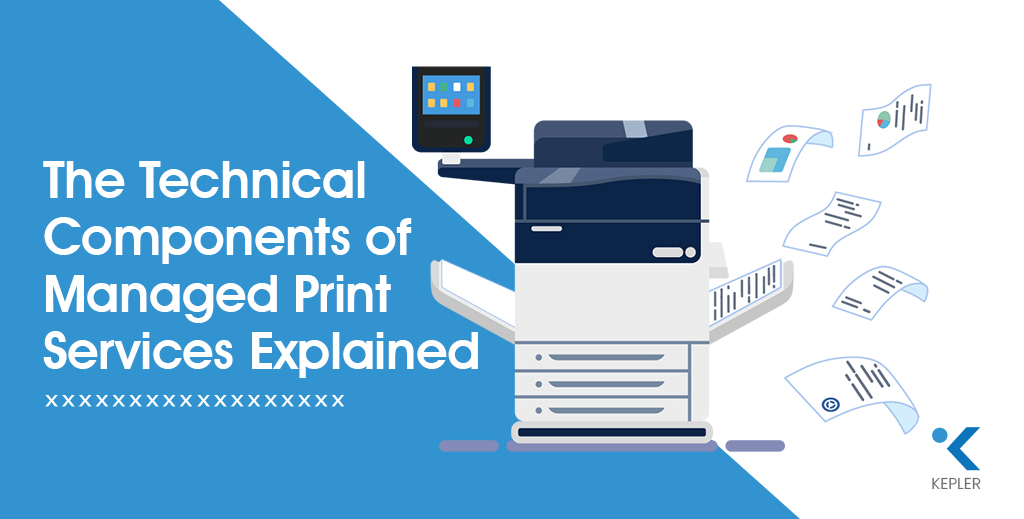
Printing may look simple on the surface: click print, collect documents, move on. But in modern business environments, printing is deeply connected to networks, security, workflows, and operational costs. As organizations grow, unmanaged printing often turns into a hidden drain on budgets, productivity, and IT resources. This is where managed print services come into play. Managed Print Services (MPS) go far beyond supplying printers or replacing toner. They rely on a carefully designed technical framework that monitors, manages, secures, and optimizes the entire print ecosystem. From device-level intelligence to network security and data analytics, MPS transforms printing into a controlled and measurable business process. At the center of this ecosystem is the office printer, not just as a standalone device, but as a connected endpoint within the organization’s IT infrastructure. Modern office printers interact with servers, user authentication systems, and cloud platforms, making them a critical component of operational efficiency and data security. When these devices are unmanaged, they can create blind spots in cost tracking, performance monitoring, and compliance. MPS ensures that every office printer operates efficiently, securely, and in alignment with broader business workflows. In many modern workplaces, this ecosystem is further supported through a printer rental & lease service, especially for businesses that want flexibility without heavy upfront investment. Rather than purchasing devices outright, organizations can deploy office printers on rental or lease models that scale with business needs. When combined with Managed Print Services, a printer rental & lease service ensures that hardware selection, maintenance, upgrades, and performance monitoring are handled as part of a single, optimized print strategy, reducing capital expenditure while maintaining full operational control. Before we dive into the individual components, ask yourself: Do you truly know what’s happening inside your print environment right now? Understanding the technical components of MPS is crucial for businesses that want to streamline their print infrastructure, improve operational efficiency, and reduce unnecessary costs. Many organizations underestimate how much unmanaged printing impacts daily operations. Printers often operate silently in the background, yet they consume resources continuously. Without visibility into usage, costs escalate unnoticed. MPS introduces transparency, helping businesses see printing not as a support function, but as a strategic operational layer that can be optimized. Let’s explore how it all works step by step. Overview of Managed Print Services Managed Print Services, often referred to as MPS, is a comprehensive approach to managing an organization’s printing environment. Instead of handling printers, supplies, maintenance, and security separately, MPS centralizes everything under a single, strategic framework. At its core, MPS: MPS works through a combination of software tools, monitoring agents, secure networks, and service-level agreements. Businesses of all sizes benefit—from small offices struggling with uncontrolled print costs to large enterprises managing hundreds of devices across multiple locations. One of the key strengths of MPS is its proactive nature. Instead of responding to printer issues after they disrupt work, MPS anticipates problems before they occur. This shift from reactive to proactive print management is what allows organizations to maintain continuity and predictability in their operations. Industries such as healthcare, education, finance, logistics, and corporate offices often rely on MPS to maintain control, compliance, and consistency in high-volume printing environments. Technical Components of Managed Print Services Managed Print Services function through a layered technical architecture. Each component plays a specific role, and together they deliver efficiency, visibility, and control. 1. Print Assessment and Analysis This is the foundation of MPS. It evaluates how printing is currently being used, identifying inefficiencies, redundancies, and cost drivers. Without assessment, optimization is guesswork. Print assessment acts as a diagnostic tool, revealing patterns that are otherwise invisible. It highlights who prints the most, which devices are underutilized, and where costs are unnecessarily high. These insights allow organizations to build realistic, data-backed optimization strategies. 2. Device Management Once data is collected, device management ensures that every printer and multifunction device operates efficiently, reliably, and within defined performance thresholds. Effective device management also standardizes the printer fleet. By reducing device variety and consolidating models, IT teams can simplify maintenance, training, and support while improving uptime across the organization. 3. Print Queue Management Print queues determine how jobs flow through the system. Effective print queue management prevents bottlenecks, prioritizes jobs, and reduces wasted output. Advanced queue management ensures that large print jobs don’t block critical documents. It also enables intelligent routing, automatically sending jobs to the most efficient device available. 4. Toner and Ink Management Automated monitoring ensures consumables are replaced only when necessary, eliminating emergency purchases and downtime. This component also reduces overstocking. Instead of storing excessive toner and ink, organizations maintain optimal inventory levels based on actual usage patterns. 5. Supplies Management This component handles the logistics of paper, consumables, and spare parts, ensuring uninterrupted printing operations. By centralizing supplies management, businesses gain better cost control and eliminate inconsistencies caused by decentralized purchasing. 6. Network and Security Management Printers are network endpoints and potential security risks. Network and security management protects data, enforces policies, and ensures compliance. Modern MPS platforms treat printers as part of the IT ecosystem, applying the same security principles used for servers and endpoints. This significantly reduces attack surfaces. Each of these components contributes directly to better print efficiency, lower operational costs, and improved reliability. Print Assessment and Analysis Print assessment is the diagnostic phase of MPS. It provides visibility into how printing actually happens across the organization, not how it’s assumed to happen. During this phase, MPS tools collect data such as: This data allows businesses to identify underused devices, overloaded printers, and unnecessary printing habits. Assessment data often reveals behavioral patterns, such as excessive color printing or printing large documents for brief reviews. Addressing these habits alone can lead to significant reductions in waste and costs. Assessment insights form the basis for print optimization, enabling data-driven decisions instead of assumptions. Device Management Effective device management ensures printers operate at peak performance throughout their lifecycle. Key aspects include: Device Monitoring and Reporting Real-time monitoring tracks device status, usage levels, and error conditions.

The Technical Components of Managed Print Services Explained Read Post »

How Paper Weight and Thickness Affect Inkjet Printing Performance
inkjet printer paper

How Paper Weight and Thickness Affect Inkjet Printing Performance

When it comes to achieving stunning, professional-quality prints, most people focus on printers, inks, or resolution settings, but one crucial factor often gets overlooked: your inkjet printing paper. The quality, weight, and thickness of the paper you choose can dramatically influence how your final prints look and feel. Whether you’re using an inkjet printer to print business documents or creative artwork, your paper determines everything from color accuracy to ink absorption. Heavier or thicker paper may seem “premium,” but does it always guarantee better prints? Not necessarily. And that’s exactly what we’re here to explore. In this guide, we’ll break down how paper weight and thickness affect printing performance, why they matter for inkjet printers specifically, and how you can choose the perfect paper for your projects.Let’s dive in! Understanding Paper Weight and Thickness Before we explore how weight and thickness impact print performance, let’s get clear on what these terms actually mean. Paper Weight Paper weight refers to how heavy a sheet of paper is—typically measured in gsm (grams per square meter). The higher the GSM, the heavier and usually thicker the paper feels. For example: Paper Thickness Paper thickness is measured in microns (µm) or points (pt). While weight and thickness often correlate, two papers with the same weight may differ in thickness due to coating and fiber density. Why It Matters Inkjet printing paper varies widely, matte, glossy, satin, fine-art, coated, and uncoated. Brands like Epson, Innova, Korejet, and Olmec each manufacture specialized inkjet papers with different coatings and thickness profiles tailored for photography, graphics, or everyday printing. Understanding these metrics helps you match your inkjet printer settings, ink type, and project needs with the right paper, ensuring color accuracy, smooth feeding, and superior output quality. How Paper Weight Affects Printing Performance Before we get into the details, ask yourself: Have you ever printed something that looked too dull, too wet, or too flimsy? Chances are, paper weight played a major role. 1. Ink Absorption & Bleed Control Inkjet printers spray tiny droplets of ink onto the paper. Lightweight paper (70–100 GSM) absorbs ink quickly, which can lead to: Heavier paper (180–300+ GSM), especially those with specialized coatings like on Epson or Olmec photo paper, absorbs ink more evenly—producing richer colors, better contrast, and crisp detail. 2. Handling and Feeding Printers “grab” paper using rollers. Lightweight printing paper feeds easily, but extremely heavy or textured paper may require: Some inkjet printer models handle 300 GSM paper effortlessly, while others may struggle, causing misfeeds or jams. 3. Print Sharpness Heavier papers maintain better structure during printing. They resist bending under ink saturation, resulting in: Example: Paper weight is the backbone of print quality—choose wisely for the type of output you want. How Paper Thickness Affects Printing Performance Now, let’s explore thickness another major factor in print quality. Imagine printing on thin newspaper versus thick cardstock. The experience (and the result) is completely different. 1. Stiffness & Durability Thicker paper feels more premium and holds up better when handled. This matters for prints like: Thicker inkjet media from brands like Innova or Korejet is designed to remain flat even with heavy ink coverage from your inkjet printer. 2. Print Finish & Texture Paper thickness and coating also influence finish: These finishes behave differently depending on thickness. For example, thicker matte photo papers absorb ink gradually, producing soft gradients and painterly effects. 3. Compatibility with Inkjet Printers Not every inkjet printer handles thick paper well. Ultra-thick papers (300–350 gsm) may require special settings or rear feeding. Thinner paper prints faster and works better for bulk printing—but at the cost of durability and quality. Example: Finding the right thickness helps balance print quality, durability, and printer compatibility. Choosing the Right Paper Weight and Thickness Choosing the right inkjet printing paper is easier when you match weight and thickness with your project’s purpose. Let’s walk through it together. 1. Printing Technique Since your focus is on inkjet printing, stick to specially coated inkjet papers designed for: Uncoated or offset papers won’t deliver the same clarity. 2. Intended Use Here’s a quick guide: 3. Budget Considerations Heavier, premium coated papers cost more, but they dramatically improve print appearance and durability. If you’re printing for clients, photography portfolios, or exhibits, the upgrade is worth it. Example: If you’re printing photos, a 260 GSM glossy paper from brands like Epson or Olmec will outperform any lightweight alternative using your inkjet printer. Choosing the right weight and thickness is simply matching the output you want to the paper designed for it. Best Practices for Working with Paper Weight and Thickness Before we wrap up, here are some friendly, practical tips to help you get the best results with your inkjet printing paper. 1. Adjust Printer Settings Always select the correct paper type in your inkjet printer menu. This adjusts: 2. Use the Correct Feed Tray Thicker papers often require rear feeding to prevent bending or internal friction. 3. Store Paper Properly Humidity affects paper thickness and ink behavior. Store papers in a cool, dry place, especially fine-art and glossy papers. 4. Avoid Common Mistakes 5. Troubleshooting Tips These simple practices ensure consistent, professional-quality results. FAQs 1. Does using higher GSM inkjet printing paper improve print quality?Higher GSM inkjet printing paper can give prints a more durable feel and richer colors, but the coating and your inkjet printer’s compatibility are just as important for the best results. 2. What type of paper works best with an inkjet printer?Inkjet-specific coated papers like matte, glossy, or fine-art papers give the best print quality. 3. Where can I buy high-quality inkjet printing paper?Kepler Tech LLC, authorized inkjet paper and media suppliers in Dubai, offers premium inkjet papers from trusted brands like Epson, Innova, Korejet, and Olmec. 4. Why do some papers cause smudging?This often happens with non-inkjet-coated paper or paper that absorbs ink too quickly. 5. Which paper finish gives the sharpest prints?Gloss and semi-gloss finishes typically offer the highest sharpness, vibrancy, and clarity. Conclusion Paper weight and thickness

How Paper Weight and Thickness Affect Inkjet Printing Performance Read Post »

Scroll to Top