keplertech

Office Printer

TRUE COST OF PRINTING
Office Printer

Understanding the True Cost of Printing

Printing Costs Are More Than Just Paper and Ink For many businesses, office printers are considered routine tools essential for daily operations but often overlooked in terms of their total cost. Most organizations focus only on the upfront price of the printer and the paper used. However, this limited perspective masks a much larger financial reality. Printing expenses extend far beyond hardware and consumables. From energy consumption and IT support to productivity losses and security risks, poorly managed printing environments can quietly drain business resources. Understanding the true cost of office printing is the first step toward smarter, more cost-effective printing decisions. By gaining insight into all aspects of printing expenses, businesses can implement strategies that reduce waste, improve efficiency, and ultimately save money. Direct Costs of Printing: The Visible Expenses Direct costs are the most apparent printing-related expenses and the ones most organizations consider first. These include the price of hardware, Printer ink cartridges, and paper. Hardware Costs: Buying or Leasing Printers The initial cost of acquiring office printers is often underestimated. Whether you choose to purchase equipment outright or opt for a printer leasing service, printers represent a significant investment, especially for offices operating multiple devices or relying on high-capacity machines for daily business needs. Choosing the wrong printer model or an unsuitable leasing plan for your workload often results in higher long-term costs, underlining the importance of aligning printer leasing service options with actual business printing requirements. Ink and Toner Costs: The Biggest Ongoing Expense Printer cartridges are among the largest contributors to office printing costs. A printer may seem inexpensive initially, but it could rely on high-cost consumables with low page yields. Factors that increase ink and toner costs include: Over time, Printer cartridges can cost several times more than the printer itself, making them a critical component in cost analysis. Paper Costs: Not All Paper is Equal Paper may seem inexpensive, but volume printing adds up quickly. Different types of paper affect the overall cost: Beyond purchase costs, paper waste from misprints significantly increases spending. Optimizing paper choice and usage policies can make a noticeable difference in total printing expenses. Indirect Costs of Printing: The Silent Budget Killers Indirect costs are often less visible but may have a larger financial impact than direct costs. These include maintenance, energy, IT support, and productivity losses. Maintenance and Printer Repair Service Costs Printers require routine servicing, replacement parts, and occasional repairs. As devices age, maintenance costs rise, especially when multiple brands and models are used across an office. Unexpected downtime often leads to emergency printer repair service, which is usually more expensive than proactive maintenance. Managed services like managed print service can streamline maintenance, reducing both costs and disruptions. Energy Consumption Costs Even when idle, printers consume electricity. High-volume devices, especially older models, draw substantial power during warm-up, printing, and standby modes. When multiplied across several office printers operating daily, energy costs become a significant part of overhead. Energy-efficient models and optimized usage schedules can reduce consumption, improving sustainability while cutting costs. IT Support Costs Printer-related issues account for a significant portion of IT helpdesk tickets in many organizations. Common problems include: Each support request consumes IT time, increasing labor costs and diverting resources from strategic initiatives. Leveraging a managed print service can reduce the number of IT interventions needed and streamline printer management. Productivity Loss When printers fail, employees wait. Waiting for print jobs, clearing jams, reprinting documents, or walking to another floor to find a working printer translates into lost productive hours. Even small delays, repeated daily, accumulate over time, resulting in substantial financial losses. Strategic placement of printers, preventive maintenance, and policies to minimize downtime can help recapture lost productivity. Hidden Costs of Printing: What Most Businesses Miss Hidden printing costs are not always reflected in accounting reports, but have real financial consequences. Waste and Misprints Printing errors are common: Every wasted page incurs a cost in Printer cartridges, paper, and time. Without proper controls, waste can account for a significant portion of total print output. Storage and Document Handling Costs Printed documents require physical infrastructure: Physical storage consumes office space, increases administrative effort, and adds long-term costs—especially for businesses handling large volumes of paperwork. Digital alternatives, discussed below, can reduce these hidden costs dramatically. Security and Compliance Risks Unsecured printing can expose sensitive information. Documents left unattended on office printers pose data leakage risks, potentially leading to: The cost of a single data breach often far exceeds the cost of implementing secure printing controls, including secure print release or managed print service policies. Ways to Reduce Your Printing Costs Effectively Understanding printing costs is only the first step. The next phase is optimization. Optimize Printing Settings Small adjustments can produce significant savings: These changes alone can reduce paper and Printer cartridge usage, cutting direct costs substantially. Use Managed Print Services (MPS) Managed print service solutions help businesses gain full visibility and control over their entire printing environment. Benefits include: MPS reduces waste, downtime, and unpredictable expenses while improving overall office printing efficiency. Implement Print Policies Clear print policies define how employees use office printers. Examples include: Policies promote accountability and reduce unnecessary printing, directly impacting both direct and hidden costs. Consider Digital Alternatives Many documents no longer need to be printed at all. Moving toward digital workflows reduces costs and improves operational efficiency: Adopting a paperless office strategy significantly lowers long-term printing expenses, freeing up both space and resources. FAQs Related to Printing Cost What is the true cost of printing in an office?The true cost includes hardware, consumables, maintenance, energy, IT support, productivity loss, waste, and security risks, not just paper and ink. Why is printing more expensive than it appears?Many costs are indirect or hidden, such as downtime, misprints, and support overhead, which are not immediately visible. How can businesses calculate their printing costs?By tracking printer usage, consumable consumption, maintenance expenses, IT involvement, and employee time spent dealing with print issues. Can managed print services really save money?Yes. Businesses often reduce
Understanding the True Cost of Printing Read Post »

epson-blank-paper-printing
Office Printer

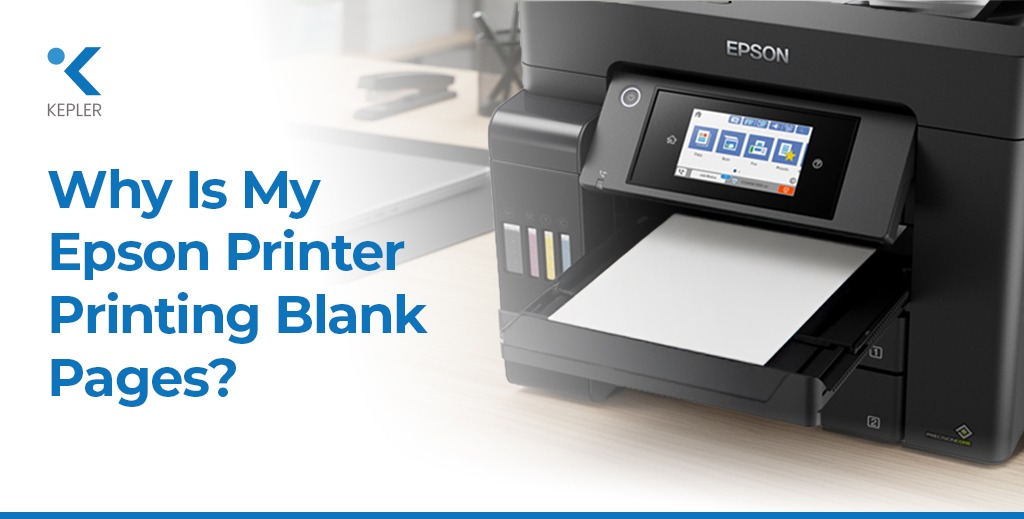
Why Is My Epson Printer Printing Blank Pages?

If you own an Epson printer, particularly models like EcoTank, WorkForce, or Expression, you may sometimes face a frustrating issue: the printer goes through all the motions, but the paper comes out completely blank. While this may seem alarming, it is actually a relatively common problem and can happen with both new and older Epson printers. For offices across Dubai, Abu Dhabi, and the wider UAE, where businesses rely heavily on office printers for contracts, invoices, marketing materials, reports, and compliance documents, even a short printing disruption can significantly affect operations. A blank page can halt workflow, delay client communications, and disrupt day-to-day business processes. The good news? Most issues behind Epson printers printing blank pages are simple to diagnose and often easy to fix without requiring a professional service call. By understanding the root causes, applying proper printer maintenance, and following step-by-step troubleshooting methods, you can restore your printer to optimal functioning quickly and prevent similar problems in the future. This guide provides a complete overview of why your Epson printer might print blank pages and how to resolve these issues efficiently. Common Reasons Why Your Epson Printer Prints Blank Pages Before rushing to professional repair services, it is important to check common causes that may be stopping your Epson printer from producing prints. Identifying the problem early can save both time and costs, especially if you use office printers for daily tasks. Many blank-page issues come from simple maintenance problems like dried ink, incorrect settings, or minor software glitches that build up over time. In most cases, Epson printers, whether EcoTank, WorkForce, or home/office inkjet models, produce blank pages due to issues that can be easily fixed at home. Factors like infrequent printing, using non-genuine ink, improper paper selection, or outdated drivers can all lead to printing failures. By understanding these common causes before moving to advanced troubleshooting, you can quickly restore your Epson printer’s performance and avoid unnecessary downtime, especially in busy office or business environments. 1. Low, Empty, or Improper Ink Levels Even if your printer shows full ink levels, the actual ink may not be flowing correctly due to air bubbles, dried ink, or improper refilling. This is particularly common in Epson EcoTank printers, which utilize bulk ink tanks instead of traditional cartridges. Sometimes the printer may display sufficient ink, yet the nozzles fail to release it properly because the ink inside the tank or tubes has thickened, or air pockets have interrupted the flow. In many cases, users assume their Epson printer is malfunctioning when the issue is simply an ink delivery problem caused by incorrect handling or long gaps between prints. Ensuring the tanks are filled with genuine Epson ink, checking for proper sealing, and avoiding overfilling can help maintain smooth ink flow and prevent blank page output in both home and office printing environments. Possible Signs: Fix: Proper ink management is essential for maintaining consistent print quality and avoiding interruptions in your office printer workflow. 2. Printhead Blockage (Very Common in Epson EcoTank & Inkjet Models) Epson printers rely on Micro Piezo printhead technology, which produces ultra-fine droplets for high-precision printing. However, if the printer is unused for extended periods, ink can dry inside the nozzles, leading to blank or incomplete printing. This issue is especially common in work environments where printing is irregular, causing the ink to settle and form clogs within the printhead. Over time, even minor blockages can restrict ink flow, affecting overall print quality and causing colors or entire sections of the page to disappear. Regular maintenance and periodic usage are essential to keep the printhead active and prevent clogging, especially in Epson EcoTank and inkjet models that rely on continuous ink flow for optimal performance. Symptoms: Fix: By performing these regular maintenance steps, business printers can remain reliable, especially in busy offices handling high-volume printing tasks. 3. Incorrect Ink Installation or Air in Ink Tubes Incorrect installation or air entering the ink lines is common in EcoTank printers after refilling. If air gets trapped, your printer may detect full ink levels but still output blank pages. This usually happens when the ink tanks are not sealed properly or when the refill process introduces small air pockets into the tubes. Even a tiny air bubble can interrupt the smooth flow of ink, causing colors to disappear or the printhead to release no ink at all. Ensuring the ink is installed correctly and the system is fully primed is essential for maintaining consistent print quality. Signs: Fix: Careful handling of Epson ink ensures smooth operation and prevents repeated printer troubleshooting issues. For office printers in high-use environments, correct installation is key to preventing downtime. 4. Wrong Paper Settings or Improper Paper Loading Epson printers are sensitive to paper type and size. Selecting the wrong type or loading the paper incorrectly can prevent ink from being applied to the page. Even small mismatches like choosing glossy settings while using matte paper or placing sheets unevenly can disrupt the printing process and result in blank pages. Ensuring that the paper is properly aligned, clean, and compatible with the selected settings helps maintain smooth and accurate printing. What to Check: Correct paper settings help maintain print quality, prevent blank pages, and ensure your business printer handles all office and marketing materials efficiently. 5. Outdated Printer Drivers or Software Glitches An outdated, corrupted, or misconfigured printer driver can result in blank page output. This issue is more common than many users realize, especially when the system hasn’t been updated for a long time or when the printer software conflicts with recent OS updates. Since Epson printers rely heavily on proper communication between the device and the computer, even minor software errors can interrupt the printing process and cause the machine to produce blank sheets instead of the expected output. Fix: Keeping drivers updated ensures smooth printing and prevents software-related issues, which is crucial for offices relying on Epson WorkForce printers or EcoTank printers for critical tasks. 6. Firmware or Communication Issues Sometimes,

Why Is My Epson Printer Printing Blank Pages? Read Post »

office-printers
Office Printer

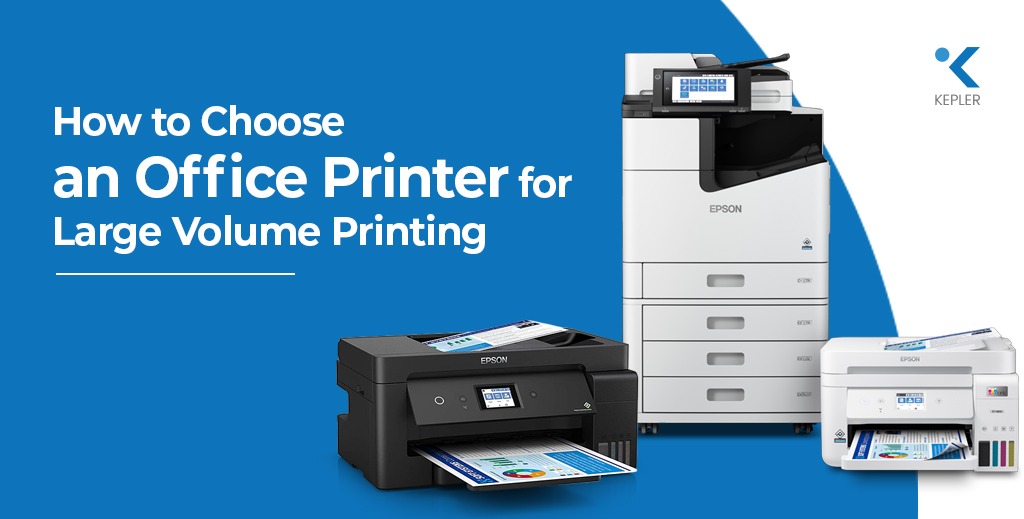
How to Choose an Office Printer for Large Volume Printing

When it comes to running a busy office, printing is often the backbone of productivity. From invoices and reports to brochures and marketing materials, a reliable office printer keeps your workflows running smoothly. But when your team handles hundreds or even thousands of pages every week, not just any printer will do. Choosing the right office printer for large volume printing isn’t just about speed or cost; it’s about finding the perfect balance between performance, reliability, and long-term efficiency. The right printer can save your business time, reduce printing costs, and significantly enhance productivity. In this guide, you’ll learn how to evaluate your business printing needs, what features matter most in a high-volume office printer, and how to identify models that deliver consistent quality without draining your budget. Understanding Your Printing Needs Before investing in a printer, the first step is understanding what your office actually needs. Many businesses rush into buying a printer that looks good on paper—but without assessing factors like volume, document types, and quality, they end up with performance gaps and frequent maintenance headaches. Volume Matters Start by estimating your monthly print volume. Do you print a few thousand pages or tens of thousands? This helps determine whether you need a heavy-duty business inkjet or a multifunction printer (MFP) designed for endurance. Document Type and Quality If your business primarily prints text-heavy documents, a standard business printer may suffice, and when it comes to graphics, color reports, and client-facing materials, laser printers often fall short in producing rich, detailed color tones and smooth gradients. In contrast, inkjet printers, with their high DPI resolution, excel in delivering vibrant colors, crisp details, and professional-quality visuals, making them the ideal choice for businesses that value presentation and visual impact. Speed and Efficiency Printing speed measured in pages per minute (PPM) is another key factor. For high-demand environments, aim for at least 24–35 PPM to avoid bottlenecks during peak workloads. The Bottom Line Understanding your print job requirements and print volume ensures that the printer you choose won’t just meet your current needs but will also scale as your business grows. Key Factors to Consider When Choosing an Office Printer Let’s dive deeper into the core features that separate average printers from the best office printers designed for high-volume business use. 1. Print Technology: Inkjet vs. Laser For large offices, many assume laser printers are the only choice but modern inkjet printers have revolutionized business printing. Epson’s PrecisionCore Heat-Free Technology, for example, delivers high-speed, professional-quality output with lower energy consumption and less maintenance than traditional laser printers. Inkjet printers also offer vivid color reproduction, ideal for marketing teams, creative agencies, and businesses that require detailed graphics. 2. Print Resolution and Quality Look for a printer with at least 1200 x 2400 DPI for text and color accuracy. Inkjet models like the Epson WorkForce Pro WF-C879R DWF and Epson WF​ AM-C4000​ Business Printer deliver professional-grade clarity, making them perfect for both text and visual documents. 3. Speed and Performance Speed matters in every high-volume environment. While speed is typically measured in PPM, true efficiency depends on consistent performance under load. Printers such as the Epson EM-C800 Color Multifunction Printer can handle large print queues efficiently while maintaining color consistency and sharpness. 4. Paper Handling Capacity If you’re managing large print batches, check the input and output tray capacity. A robust office printer should handle 500+ sheets per tray and support different paper sizes (A4, A3, envelopes, and card stock). Duplex (two-sided) printing is also essential to save paper and time. 5. Connectivity Options Modern offices need versatile connectivity. Look for printers that support Ethernet, Wi-Fi, USB, mobile printing, and cloud integration. This ensures that your employees can print securely from laptops, tablets, or smartphones anytime, anywhere. 6. Maintenance and Support Maintenance often defines the true cost of ownership. Choose printers with long-lasting ink supplies, minimal replacement cycles, and reliable manufacturer support. Epson’s cartridge-free Replaceable Ink Pack System (RIPS) reduces downtime and waste, helping you print thousands of pages before replacements are needed. So, always check local support availability and warranty coverage, especially if your business depends heavily on uninterrupted printing. Types of Office Printers for Large Volume Printing Now that we’ve covered the key features, let’s explore which types of printers are best suited for large-volume business printing and why inkjet and multifunction printers are leading the charge. 1. Inkjet Printers for Business Gone are the days when inkjets were only for home offices. Today’s business inkjet printers combine affordability, efficiency, and print quality. They’re ideal for businesses that produce high-quality marketing materials, reports, and graphics. For example, the Epson WF AM-C4000 Business Printer delivers fast print speeds up to 24 PPM, low running costs, and sharp color output. It’s energy-efficient, compact, and built for heavy-duty office environments. Pros: Cons: 2. Multifunction Printers (MFPs) For offices that demand printing, scanning, copying, and faxing from a single device, multifunction printers are the ultimate productivity tools. For example, the Epson EM-C800 Color Multifunction Printer streamlines operations by handling multiple tasks simultaneously, while the Epson WorkForce Pro WF-C879R DWF offers A3 printing, large ink packs, and low-cost per page printing making it a top choice for busy offices. Pros: Cons: 3. Production Printers For enterprises or print-heavy departments, production printers handle tens of thousands of pages per month with ease. These are more specialized but offer exceptional speed and durability. However, unless your business operates like a print shop, a high-end multifunction inkjet printer is typically a more cost-effective and sustainable choice. Evaluating Total Cost of Ownership Choosing the right printer isn’t just about the sticker price; it’s about the total cost of ownership over its lifespan. Initial Cost Inkjet and multifunction printers often cost less up front than equivalent laser printers. But even more importantly, they’re more energy-efficient, leading to significant long-term savings. Ongoing Costs Evaluate ink or toner expenses, maintenance frequency, and paper consumption. Epson’s inkjet systems, especially models with RIPS technology, use high-capacity ink packs that can print up to

How to Choose an Office Printer for Large Volume Printing Read Post »

Top 5 Epson Office Printers
Office Printer

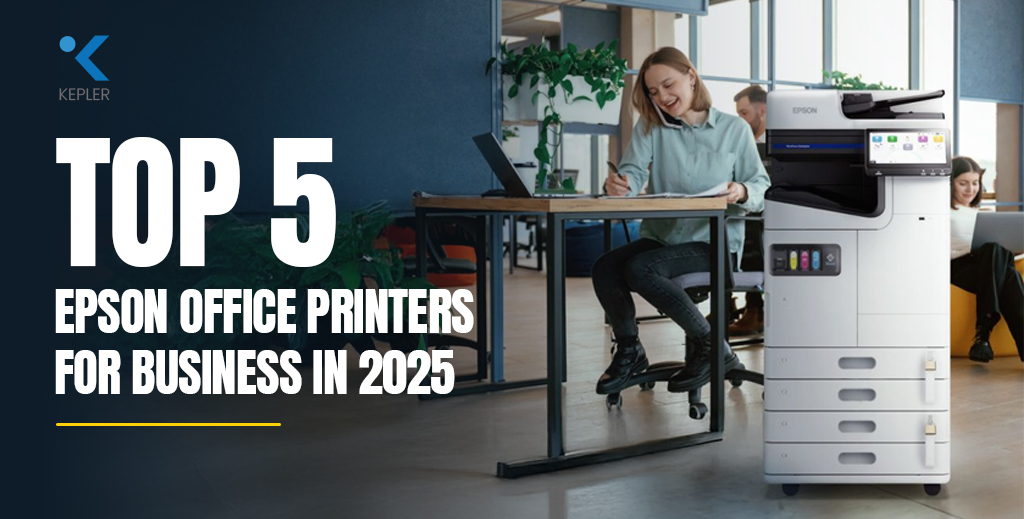
Top 5 Epson Office Printers for Business in 2025

In today’s fast-paced business world, having a reliable office printer is more than a necessity—it’s a backbone for daily operations. From contract printing to scanning essential business documents, your choice of printer can affect productivity, cost-efficiency, and even environmental footprint. In 2025, the best office printers from Epson continue to lead the market with a range of high-speed, eco-friendly, and intelligent printing solutions tailored for every business size. Whether you’re a large enterprise, a corporate department, or a small business, this guide explores the top 5 Epson printers for business in 2025 that combine speed, functionality, and long-term value. As an authorized dealer of Epson printers in the Middle East, Kepler Tech LLC ensures you’re always equipped with the latest and most reliable printer technologies available in the UAE. 1. Epson WorkForce Enterprise WF-C21000 The Epson WorkForce Enterprise WF-C21000 is Epson’s top-tier offering for massive printing demands. With blazing-fast output and eco-friendly inkjet technology, it provides unmatched efficiency while consuming less power than traditional laser printers. Built-in finishing options like stapling and booklet creation make it a complete document solution. Why It’s a Top Choice: Lightning-fast performance, low power consumption, and reliable A3 multifunction capabilities. 2. Epson WorkForce Enterprise AM-C6000 The Epson Enterprise AM-C6000 balances high speed with energy efficiency and a compact footprint. Designed for medium to large workspaces, it provides seamless integration with office networks and produces crisp, vibrant documents. Why It Ranks High: Excellent combination of print quality, reliability, and sustainability. Ideal for businesses transitioning to smarter print solutions. 3. Epson WorkForce Enterprise AM-C5000 Ideal for growing businesses or department-level printing, the Epson WorkForce AM-C5000 offers nearly the same features as the C6000 at a more accessible price point. It’s an excellent first step for companies upgrading from outdated laser models to sustainable Epson solutions. What Makes It Unique: Affordable entry into Epson’s high-speed A3 enterprise printing with reduced running costs and environmental impact. 4. Epson WorkForce Pro WF-C879R For offices with consistent but not extreme print loads, the Epson WF-C879R office printer offers durability, low noise levels, and ultra-high-yield ink packs. With fewer interruptions and less maintenance, it’s perfect for departmental and medium-sized office environments. Why Businesses Love It: Efficient and budget-friendly all-in-one A3 printer with impressively low cost-per-page. 5. Epson EcoTank L6570 The L6570 is part of Epson’s revolutionary EcoTank series featuring refillable ink bottles. These compact A4 printers deliver reliable wireless printing, low running costs, and environmental advantages—perfect for entry-level business printing. Why It Made the List: Extremely economical printing solution with easy setup, wireless features, and minimal maintenance. Quick Comparison Table Model Speed (ppm) Output Size Best For Page Yield Business Segment WF-C21000 100 A3 High-volume enterprises 100K+ Enterprise AM-C6000 60 A3 Mid to large offices 50K–60K Enterprise Lite AM-C5000 50 A3 Mid-level departments ~50K High-end SMB WF-C879R 26 A3 Departmental printing 86K SMB / Corporate EcoTank L6570 25 A3 Startups & small offices 7.5K+ Entry-level / Startup FAQs: Choosing the Right Epson Business Printer Q1: What is the best Epson printer for office use in 2025?The answer depends on your business needs. For high-volume environments, the WF-C21000 is unmatched. For mid-size operations, the AM-C6000 or C5000 offers great value. Q2: Are Epson inkjet business printers better than laser?Yes. Epson’s PrecisionCore inkjet technology provides lower energy consumption, faster warm-up times, and lower running costs compared to traditional laser printers. Q3: What’s the most cost-effective printer for a startup?The Epson EcoTank L6570 is ideal due to its ultra-low printing cost, refillable tanks, and wireless functionality—great for compact teams. Q4: Do these printers support duplex printing?Yes, all listed models support automatic double-sided printing, which helps reduce paper usage and environmental impact. Conclusion As your business evolves in 2025, having the right printer is not just a convenience—it’s a strategic advantage. Whether you’re scaling up operations, reducing printing costs, or adopting eco-conscious practices, Epson has a solution that fits. From multifunction office printers to EcoTank innovations, there’s a model that aligns perfectly with your printing demands. To get expert advice and purchase genuine Epson printers with full warranty and support, trust Kepler Tech LLC—the leading supplier of printers and consumables in Dubai and the wider GCC region.

Top 5 Epson Office Printers for Business in 2025 Read Post »

Scroll to Top