keplertech

Photo printer

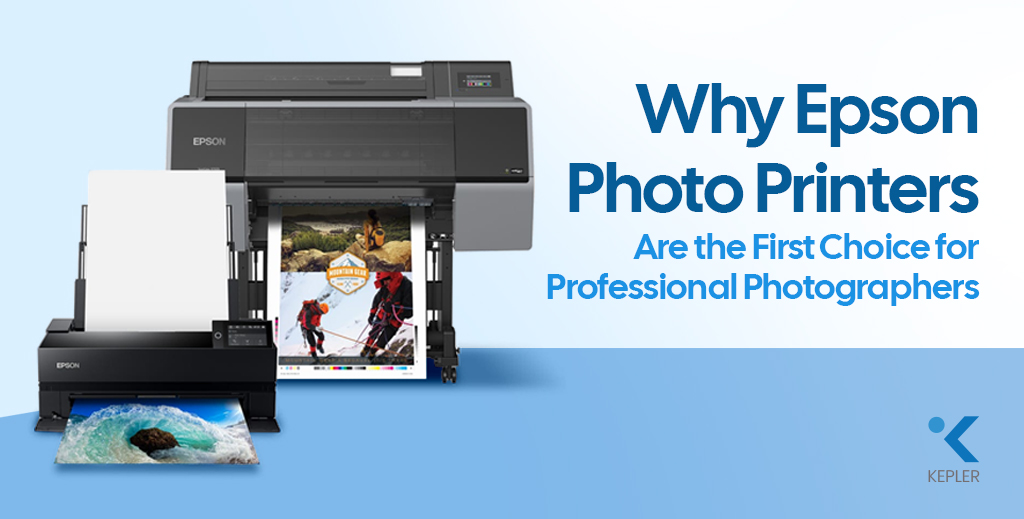
Why Epson Photo Printers Are the First Choice for Professional Photographers
Photo printer

Why Epson Photo Printers Are the First Choice for Professional Photographers

Professional photography has transformed from a niche creative field into a thriving global industry. Weddings are grander, commercial campaigns are more visually demanding, and fine art photography is gaining unprecedented recognition. Clients no longer want “good” prints; they expect gallery-quality pieces that preserve every detail, every shade, and every emotion. But let’s pause and reflect on something important. You may invest heavily in cameras and lenses, carefully edit your images, and perfect every color tone on screen. Yet, what ultimately reaches your client’s hands is not a digital file; it is a print. And that final output depends entirely on your Photo Printer. Before choosing a printer, every professional should ask: This is where Epson has established itself as an undisputed leader. Across studios, galleries, and commercial production houses, Epson professional photo printers are trusted for their precision, longevity, and color brilliance. Epson photo printers combine advanced ink technology, engineering reliability, and scalable performance, making them the preferred choice for professionals seeking the Best Printer for Photographers. What Professional Photographers Truly Expect from a Photo Printer Professional photographers do not choose equipment casually. Every investment must justify itself in performance and business value. First and foremost, color accuracy is essential. A portrait photographer cannot afford unnatural skin tones. A landscape artist cannot tolerate muted blues or crushed shadows. The print must faithfully replicate the creative vision crafted during editing. Longevity is equally critical. When a wedding client receives an album, they expect those memories to remain vibrant for decades. Fine art collectors demand archival-quality prints that can withstand time and light exposure. Media flexibility also plays a major role. Professionals regularly work with matte photo paper for soft artistic depth, glossy photo paper for vibrant commercial visuals, textured fine art sheets for exhibitions, and even canvas for wall displays. A capable Photo Printer must handle all of these seamlessly. Large-format capability, consistent output across batches, and cost control are also central to a studio’s workflow. These expectations define the benchmark — and Epson consistently exceeds it. Epson’s Advanced Print Technology: The Engineering Advantage The reason Epson dominates the world of professional photo printers lies in its proprietary technology. Unlike many thermal inkjet competitors, Epson uses Micro Piezo printhead technology. This mechanical precision system controls ink droplet size without heat, ensuring exceptional accuracy and long-term reliability. The result is sharper detail, smoother gradation, and consistent droplet placement across every print. Epson’s pigment-based UltraChrome ink systems further elevate output quality. These inks expand the color gamut significantly, producing richer blacks, smoother tonal transitions, and deeper color intensity. Whether printing on matte photo paper or glossy photo paper, the vibrancy remains intact. Resolution also matters. Many Epson Photo Printer models deliver ultra-high DPI output, ensuring fine textures, hair details in portraits, and subtle highlight transitions are preserved with remarkable clarity. For professionals who refuse to compromise, this technological precision becomes a decisive factor. Color Accuracy & Print Consistency: Where Epson Excels Color is not just a feature in photography; it is the language of emotion. Epson printers integrate seamlessly with ICC profiles and professional calibration systems, ensuring what you see on screen translates accurately onto Photo Printing Paper. For wedding studios printing hundreds of images from a single event, consistency across batches is crucial. Epson printers maintain tonal uniformity and color balance across repeated runs, preserving brand credibility. Shadow depth remains controlled. Highlights retain subtle detail. Skin tones appear natural rather than artificial. These characteristics distinguish Epson from standard photo printers designed for casual use. Epson vs Other Photo Printer Brands To better understand why Epson is often considered the Best Printer for Photographers, let’s compare it with other major photo printer brands in the professional segment. Key Factor Epson Professional Photo Printers Other Major Photo Printer Brands Print Technology Micro Piezo technology (heat-free precision droplet control) Mostly thermal inkjet systems Ink System Advanced pigment-based UltraChrome inks Mixed dye or pigment systems Color Gamut Wide color gamut with rich blacks and smooth gradation Good, but often narrower color depth Archival Longevity Museum-grade durability with strong fade resistance Moderate to high longevity, depending on the model Large Format Options Extensive Epson large-format printer lineup for studio and exhibition use Limited wide-format options in many ranges Media Compatibility Excellent performance on matte photo paper, glossy photo paper, fine art paper, and canvas Compatible, but may require brand-specific media Scalability Suitable for desktop studios to high-volume production Often segmented between entry-level and industrial only Long-Term Reliability Consistent batch output and durable printhead design Varies by model and usage level While several brands produce capable photo printers, Epson consistently stands out in precision engineering, color accuracy, and scalability. For professionals who prioritize archival quality, large-format flexibility, and long-term reliability, Epson remains one of the safest and most performance-driven investments in the industry. Epson Solutions for Different Professionals Different photography niches require tailored solutions, and Epson understands that no two professionals have identical production needs. Wedding and portrait photographers often prefer the Epson SureColor P900 Photo Printer for its vibrant album-quality output, deep blacks, and smooth tonal gradation. It delivers stunning results on glossy photo paper while maintaining subtle skin tones on matte photo paper. Fine art photographers seeking gallery-grade results benefit from the Epson SureColor SC-P700 13″ Photo Printer, known for its exceptional tonal control, shadow retention, and compatibility with textured Photo Printing Paper. Commercial studios and exhibition producers rely on Epson’s wide-format lineup because it offers: This adaptability makes Epson professional photo printers suitable for both boutique studios and high-output production houses. Frequently Asked Questions 1. What is the best Epson printer for professional photography? It depends on print size and production needs. SureColor series models are widely regarded as industry benchmarks due to their pigment ink systems and color precision. 2. Are Epson photo printers suitable for fine art printing? Yes. Epson’s pigment-based systems deliver archival, museum-grade results ideal for exhibitions and collectors. 3. Which paper works best with Epson photo printers? Both matte photo paper and glossy photo paper perform exceptionally well. Epson

Why Epson Photo Printers Are the First Choice for Professional Photographers Read Post »
giclee-printing
Photo printer

Giclée Printing: A Complete Guide

In today’s world of digital art and professional photography, high-quality printing has become just as important as capturing or creating the image itself. While traditional printing methods often compromise on detail and longevity, a unique technique called Giclée printing has gained immense popularity among artists, photographers, and collectors. Whether you’re a professional looking for the best printer for photographers or an art enthusiast wanting to preserve your favorite creations, understanding Giclée printing is a must. So, why does this matter? With the rise of large-format printers and specialized photo printers, creatives now have access to gallery-quality prints without sacrificing detail or vibrancy. Giclée printing, with its advanced technology and superior photo printing paper choices, offers a solution that bridges art and innovation. In this guide, we’ll take a deep dive into everything you need to know about Giclée printing: what it is, how it works, its benefits, applications, and even tips to help you create professional-quality prints. By the end of this blog, you’ll understand why Giclée printing is redefining standards in the world of fine art and photography. What is Giclée Printing? Before we dive into the details, let’s first clear the basics: what exactly is Giclée printing? The term Giclée originates from the French word gicleur, meaning “to spray.” This reflects the core of the process: Giclée prints are created using inkjet technology, where a photo printer sprays microscopic droplets of pigment-based ink onto high-quality archival media. Unlike standard digital printing, which relies on dye-based inks, Giclée printing ensures exceptional precision and color depth. Compared to offset printing or standard digital methods, Giclée offers several advantages. Offset printing may be cost-effective for bulk production, but it often lacks the fine details required for art reproductions. Digital printing, while fast, cannot always achieve the durability or archival quality of Giclée. This makes Giclée the gold standard for artists, galleries, and photographers who want their prints to last for decades without fading. Benefits of Giclée Printing Now that we know what Giclée printing is, let’s take a closer look at why it’s considered a revolution in the printing world. From professional artists to hobby photographers, the benefits extend far beyond simple aesthetics. 1. High-Quality Prints with Precise Color Accuracy Imagine spending weeks perfecting an artwork or capturing that once-in-a-lifetime photograph only for it to lose detail in print. That’s where Giclée printing makes a real difference. By using advanced photo printer technology and a wide color gamut, every brushstroke, texture, and shadow is reproduced with jaw-dropping clarity. The pigment-based inks are capable of producing millions of color variations, ensuring skin tones look natural, skies look vibrant, and the tiniest details don’t get lost. This makes Giclée the best printer for photographers who need their prints to reflect exactly what they envisioned on-screen. 2. Durability and Longevity When investing in prints, longevity matters. Traditional dye-based printing methods often fade within a few years, especially when exposed to light. In contrast, Giclée prints when created on archival-quality photo printing paper can last for more than 100 years without noticeable fading. Museums and galleries prefer Giclée because it ensures artworks remain timeless for future generations. Whether it’s printed on archival media designed for fine art reproduction, the durability of Giclée makes it a top choice for collectors and professionals who value permanence. 3. Versatility in Materials One of the most exciting aspects of Giclée printing is its versatility. Unlike standard printers that often limit you to a few paper types, Giclée technology works seamlessly with a wide range of media. Artists can choose between smooth photo printing paper for vibrant photography, matte photo paper for subtle fine art pieces, or textured watercolor paper for an authentic hand-painted feel. Even canvas prints are possible, giving your art a museum-quality presence. This flexibility allows creators to experiment with finishes and find the perfect surface to complement their style. 4. Ideal for Art Reproductions & Photography For painters, illustrators, and photographers, authenticity matters. Giclée printing allows artists to reproduce their original work with such accuracy that the print often looks indistinguishable from the original. Photographers, especially those showcasing work in exhibitions or selling prints, prefer Giclée because it delivers professional-grade quality every time. The combination of large-format printers and archival inks ensures that whether you’re printing a small portrait or a wall-sized photograph, the results remain sharp, vibrant, and true to life. The Giclée Printing Process Ready to see how the magic happens? Let’s break down the step-by-step process. It starts with a high-resolution digital file (usually 300 DPI or higher). The better the input, the better the output. Proper editing and retouching also help maintain sharpness and color integrity. Ensuring correct color profiles (such as Adobe RGB or sRGB) and calibration is crucial for consistent results. The large format printer used for Giclée sprays pigment-based inks with extreme precision, creating millions of color variations. Unlike traditional methods, the inks don’t just sit on the surface; they bond with the paper fibers. Choosing the right archival media is key, as it greatly influences both the look and the longevity of your Giclée prints, ensuring vibrant colors and lasting quality for years to come. Professional printers calibrate both monitors and printers to ensure what you see on screen matches the final print. This careful process ensures that every Giclée print is museum-quality and true to the original. Applications of Giclée Printing So, where does Giclée printing really shine? The answer: practically everywhere in the creative and professional industry. Its versatility, combined with the precision of photo printer technology and compatibility with large format printers, makes it the go-to solution for a wide range of uses. Let’s explore some of the most impactful applications. 1. Art Reproductions For painters, illustrators, and mixed-media artists, reproducing original works without losing detail has always been a challenge. Traditional printing often flattens textures and dulls color vibrancy. Giclée printing solves this problem by capturing even the subtlest brushstroke or pencil line with stunning accuracy. Whether an artist wants to sell limited-edition

Giclée Printing: A Complete Guide Read Post »

Photo printer buying guide
Photo printer

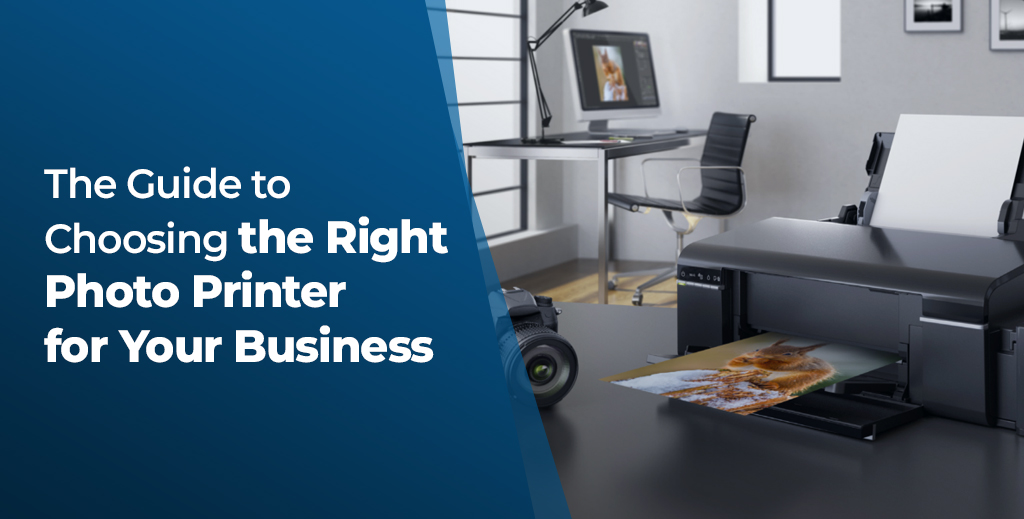
The Guide to Choosing the Right Photo Printer for Your Business

In today’s visually driven marketplace, the demand for instant, high-quality images is stronger than ever. Whether you run a photography studio, manage a retail space, or organize events, having the right photo printer can make a significant impact on your brand identity and service quality. Businesses that invest in the right photo printing equipment are better positioned to deliver professional-grade results, respond quickly to customer needs, and ultimately boost profitability. This guide is crafted to walk you through the essential considerations in selecting the perfect photo printer for your business. From identifying your operational requirements to exploring the best products on the market, our goal is to equip you with the knowledge to make a well-informed, cost-effective choice. Selecting the right photo printer can significantly enhance your business operations, streamline productivity, and improve customer satisfaction through high-quality image output. Let’s Start with Your Unique Business Environment Understanding Your Business Needs Before jumping into specifications, it’s crucial to understand how your business operates and what your customers expect. The kind of images you produce and the frequency will influence the type of photo printer you need. Are you a professional photographer who needs a professional photo printer for studio-grade portraits? Or are you a mobile business requiring a lightweight portable printer for on-site photo printing? Maybe you’re running a photo booth at events, where speed and volume are your top priorities? Here are a few guiding questions: Answering these questions will help you narrow down your choices and make a better investment for your business. Key Features to Consider What Should You Look for in a Photo Printer? Once you’ve mapped out your business needs, the next step is to focus on what features matter most. Every photo printer is designed with specific use cases in mind. Here’s what you should prioritize: Look for professional photo printers offering high DPI (dots per inch). Higher resolution means clearer, sharper images, which is essential if you’re producing prints for clients, exhibitions, or fine art. A digital photo printer used in high-traffic areas or events must offer quick output without compromising quality. Check the prints-per-hour capability and first-print-out time. Can the printer handle different paper types—glossy, matte, thick, thin? If your work involves posters or marketing collateral, a large-format photo printer may be necessary. Choose printers that offer modern connectivity: USB, Wi-Fi, Ethernet, or cloud-based apps. This is especially beneficial for mobile teams or businesses with multiple users. Initial cost isn’t everything. Evaluate the total cost of ownership—ink, paper, replacement parts, and service. A dye sublimation printer, for example, tends to be economical over time due to consistent performance and print quality. It’s Time to Meet the Best Photo Printers! Overview of Citizen Photo Printers Now that you understand what to look for in a photo printer, it’s time to explore some of the best options available. Citizen has built a strong reputation for producing high-performance printers tailored to a variety of business needs. Whether you’re after speed, portability, or professional-grade results, there’s a Citizen photo printer designed just for you. Citizen is globally recognized for its durability, print clarity, and user-friendly design. Below are four standout models tailored for various business types: 1. Citizen CX02 Digital Photo Printer This sleek and compact digital photo printer is a top pick for businesses that need mobility and speed without sacrificing quality. Ideal for photo booths and events, it supports 4×6 and 5×7 sizes, providing lab-quality prints in seconds. 2. Citizen CY02 Photo Printer Perfect for high-volume settings, this photo booth printer offers large media capacity and minimal maintenance downtime. It prints popular sizes like 4×6 and 6×8, making it the go-to for event photographers and instant photo kiosks. 3. Citizen CZ01 Photo Printer Need portability? The CZ01 is a compact, ultra-lightweight portable printer that delivers stunning image resolution for its size. Great for photographers on the move or setups where space is limited. 4. Citizen CX-02W 8″ Large Photo Printer If your business specializes in gallery prints or wide-angle photography, the CX-02W is a reliable large format photo printer supporting prints up to 8 inches wide. It even handles panoramic prints, offering more creative options for studios. Each of these models is engineered to deliver consistent results while catering to specific business requirements. Whether it’s mobility, capacity, or image resolution, there’s a Citizen printer tailored for you. Choosing the Best Citizen Printer for Your Business So, Which One Should You Pick? Choosing the best Citizen printer ultimately depends on your goals: Each model brings something unique to the table. Consider factors like print volume, required mobility, print sizes, and space constraints before making your final choice. Additional Considerations Don’t Forget the Long-Term Picture Apart from specs and models, a few additional aspects deserve your attention: 1. Warranty and Support Choose a model backed by a strong warranty and dependable tech support. Quick service can mean the difference between hours and days of downtime. 2. Consumables and Maintenance Costs Always evaluate the recurring costs. Dye sublimation printers may have a higher initial investment, but offer more predictable ongoing costs. 3. Scalability and Upgrade Options Think ahead: as your business grows, can this printer handle more demand? Does it support future software or media upgrades? Frequently Asked Questions (FAQ) Q1. What is the difference between a dye sublimation printer and an inkjet photo printer? Dye sublimation printers use heat to transfer dye onto paper, offering consistent, vibrant results ideal for photographs. Inkjet printers, while versatile, may not always offer the same durability or speed. Q2. Can I use a photo printer for general office printing? While technically possible, photo printers are optimized for image quality rather than text. It’s best to use them specifically for photographs and high-resolution graphics. Q3. How often do I need to replace supplies? This depends on your print volume. High-use environments may require replacements every few days, while lower volumes could stretch to weeks. Q4. Are Citizen printers compatible with Mac and Windows? Yes, Citizen photo printers are compatible with both

The Guide to Choosing the Right Photo Printer for Your Business Read Post »

Scroll to Top